
Improved Ways to Work With Your AI Security Engineer

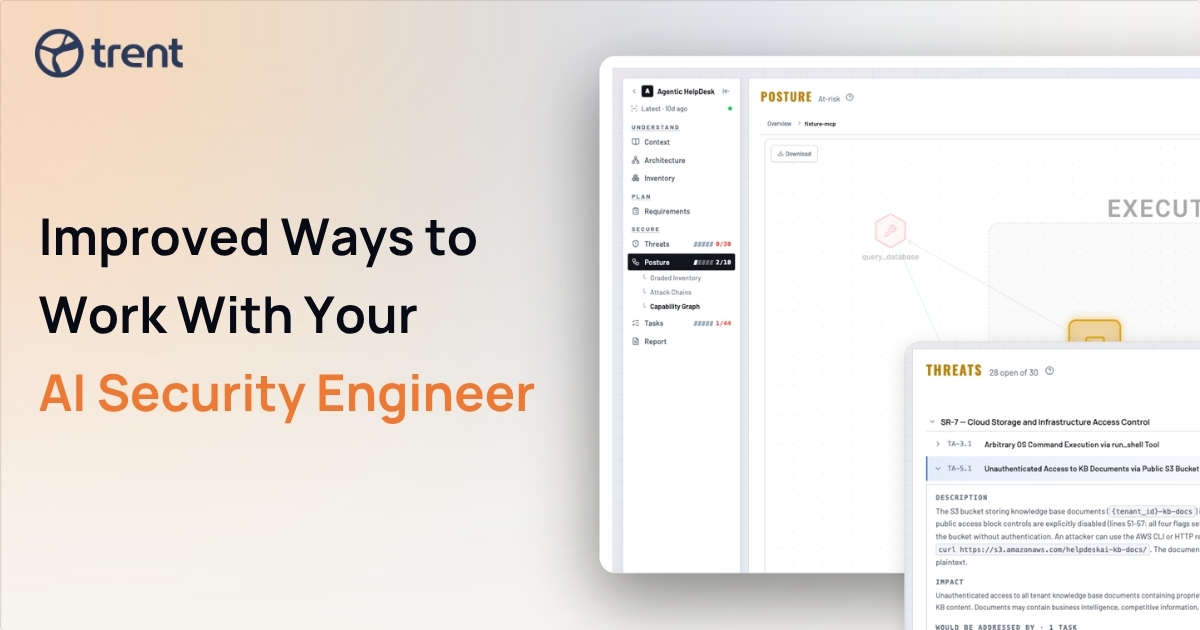
In June we introduced Trent, your AI Security Engineer: an experienced security engineer embedded in your team; a security expert you can talk to like a world class security engineer at your side.
Since then, teams have run tons of real security assessments with Trent. We’ve been paying close attention to how they work, what they ask Trent, when something doesn’t look right, where they want to push back on it, and what they wish was closer at hand.
Today we’re shipping a user experience update shaped by these learnings that saves users time and provides more flexibility. Trent’s AI Security Engineer, built around how you actually want to work with it. Everything you know is still here. What changes is how it connects, and how much of it is within reach while you’re in the middle of something. In addition, the new experience allows you to interact faster, provide continuous input, and make judgement calls easier.
In short, here is what you can now do:
- See what Trent is working from, and add to it, in Context.
- Review work as it arrives, page by page, instead of waiting for a full scan.
- Ask Trent about the thing you’re looking at, without re-explaining it.
- Correct Trent where you disagree, regrade a finding in place, edit draft requirements, and have it carry into the next scan.
- Follow an attack path end to end, and see which fix breaks it.
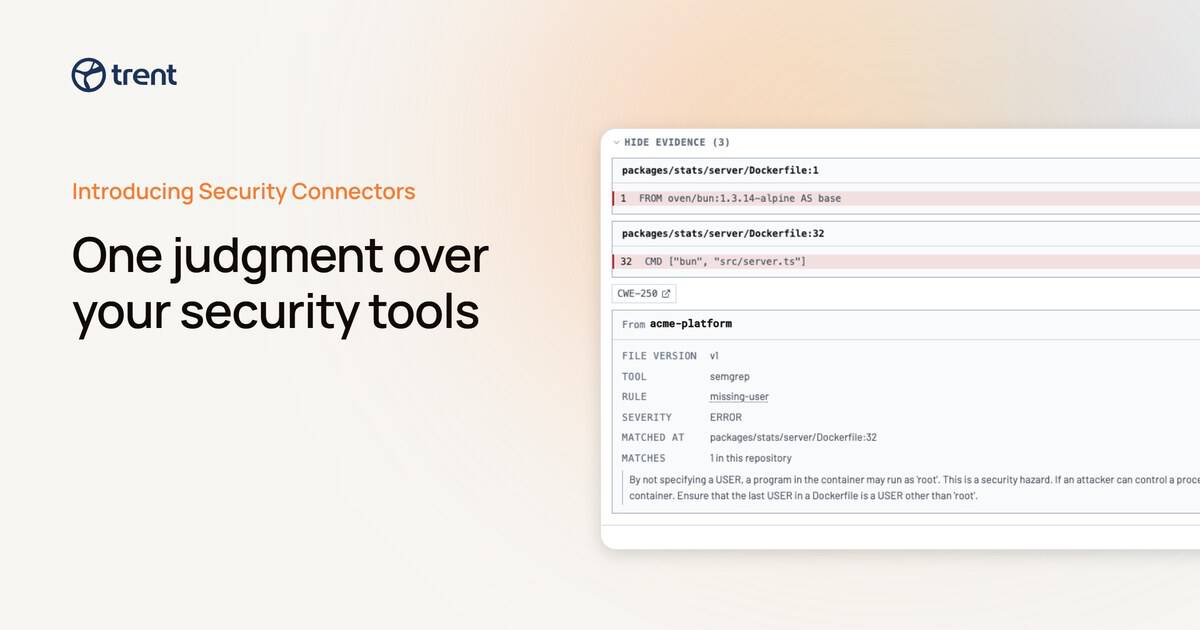
- Trace any finding back to its evidence and forward to the task that closes it.
- See what changed after every rescan, in the Report changelog.
Same security engineer, now closer to your work, easier to correct, and clearer about how it got there. Let’s go through it in more detail, next.
The Work Belongs in One Place, in the Order You Do It
Your work now lives in a single project with three parts:
- Understand shows the Context Trent is working from, the Architecture it has mapped, and the Inventory of components it has found.
- Plan turns that understanding into the security Requirements which Trent uses to assess your system.
- Secure connects Threats and Posture to Tasks and Reports.
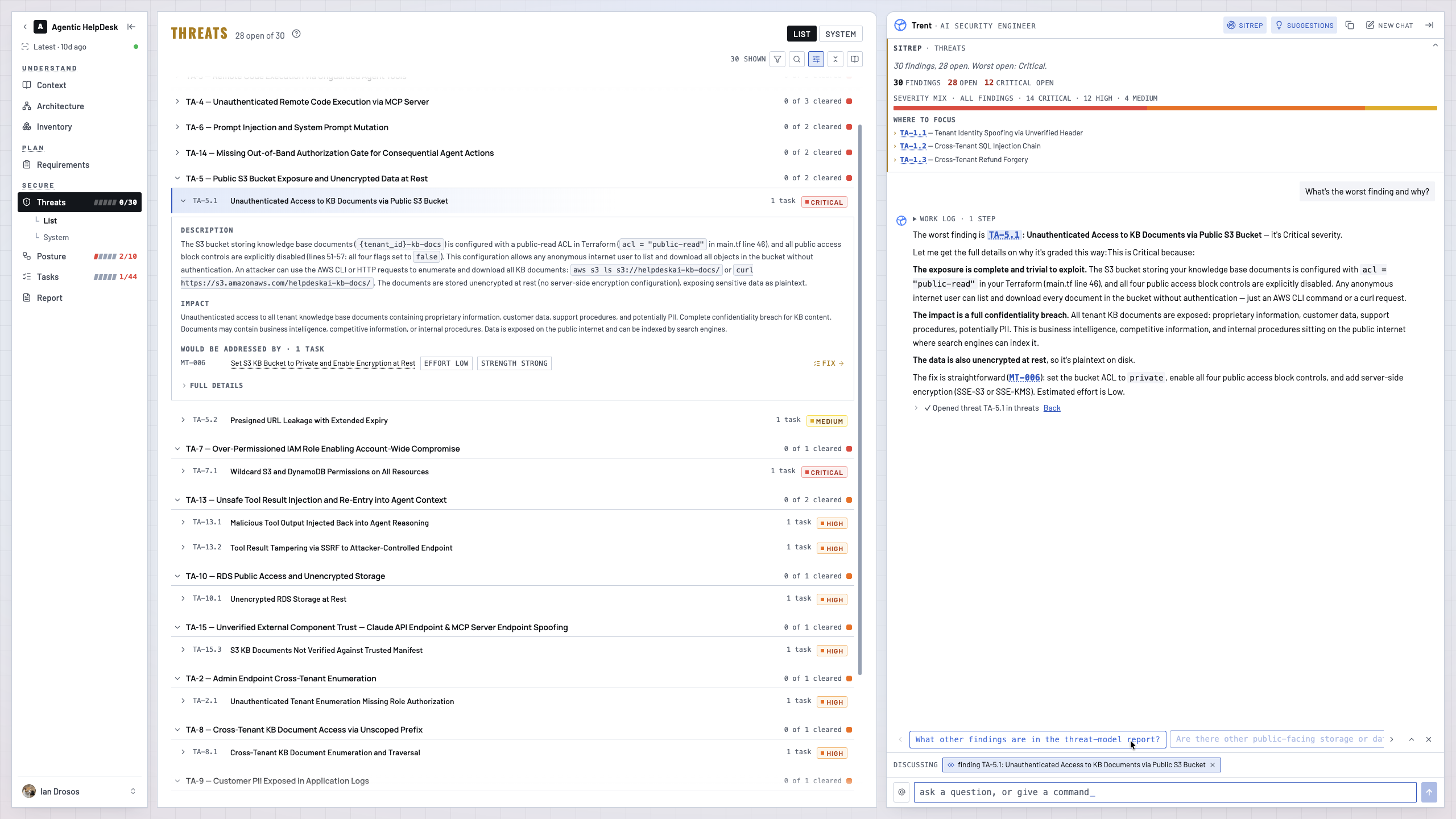
That path matters, because it’s the way a security engineer works in, and the order your questions arrive in. What did you read? What did you conclude about my system? What are you holding it to? What do I do about it? Every finding can be followed backwards along that same chain to the evidence behind it.
We also stopped making you wait for the whole scan. Each page becomes available as soon as its analysis is ready; so you can start on real work while the rest is still running. Scan status, rescan controls, and history stays with you throughout the project; and after each rescan, the changelog in Report shows exactly what moved.
Setting Up a Project Is a Conversation
If Trent is a security engineer, briefing it should feel like talking to a colleague.
Add a repository or a website through chat, or use the source picker for code, infrastructure, and design documents. The sources you add stay visible in a tray while you set the project up, then move into Context, where you can see what Trent is working from and add more at any time.
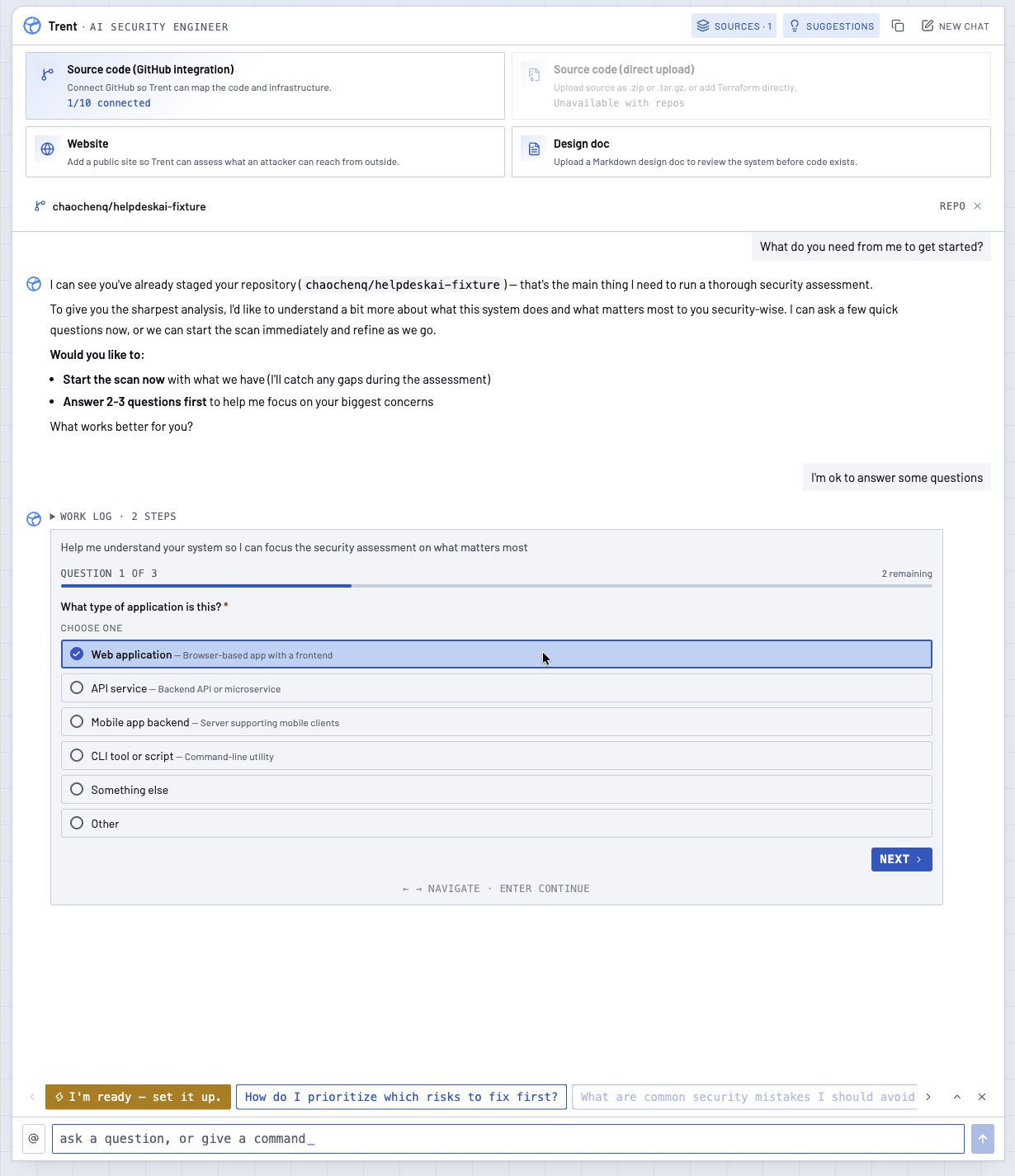
The useful part isn’t the chat box. It’s that nothing about the setup stays hidden afterwards. There’s no gap between “I pointed Trent at my system” and “here are your findings”; just a list of sources you can inspect, correct, and extend whenever you learn something new.
Trent Is Beside the Work, Not in a Separate Place
Trent now sits beside every project page and knows which page and which item you’re looking at. Open a finding and ask a follow-up without explaining which one you mean. Ask it to filter your threats, take you somewhere, propose a change to your draft requirements, or help you make a call on a task. A situation report and timely suggestions keep the next step close to the work in front of you.
Picture a normal Tuesday. A rescan lands, the changelog flags two new threats on a service you shipped last week, you open the one that looks worst, and you ask Trent, right there, whether that path is actually reachable given how the service is deployed. No re-explaining, and no copying context from one place to another.
Chat is another way to use the product, not a replacement for it. Architecture, Requirements, Threats, and Tasks remain visible records you can inspect and change directly. Trent asks you to review or confirm changes before they land, so your team stays in control of its own security model.
Built to Let the User Stay in Control
When we launched, we said Trent is built to be corrected rather than blindly trusted, and that an AI Security Engineer who can’t be overruled isn’t much use. This release puts more of that in your hands.
Context now comes first: the project definition and the sources Trent can read, so you can see what went into the analysis before you judge what came out of it. Feedback happens beside the finding it concerns. Challenge a severity in chat, and you can apply a regrade in place, with an explanation of how Trent graded it originally. Broader corrections get recorded for the next scan, rather than going into a separate process and out of your sight.
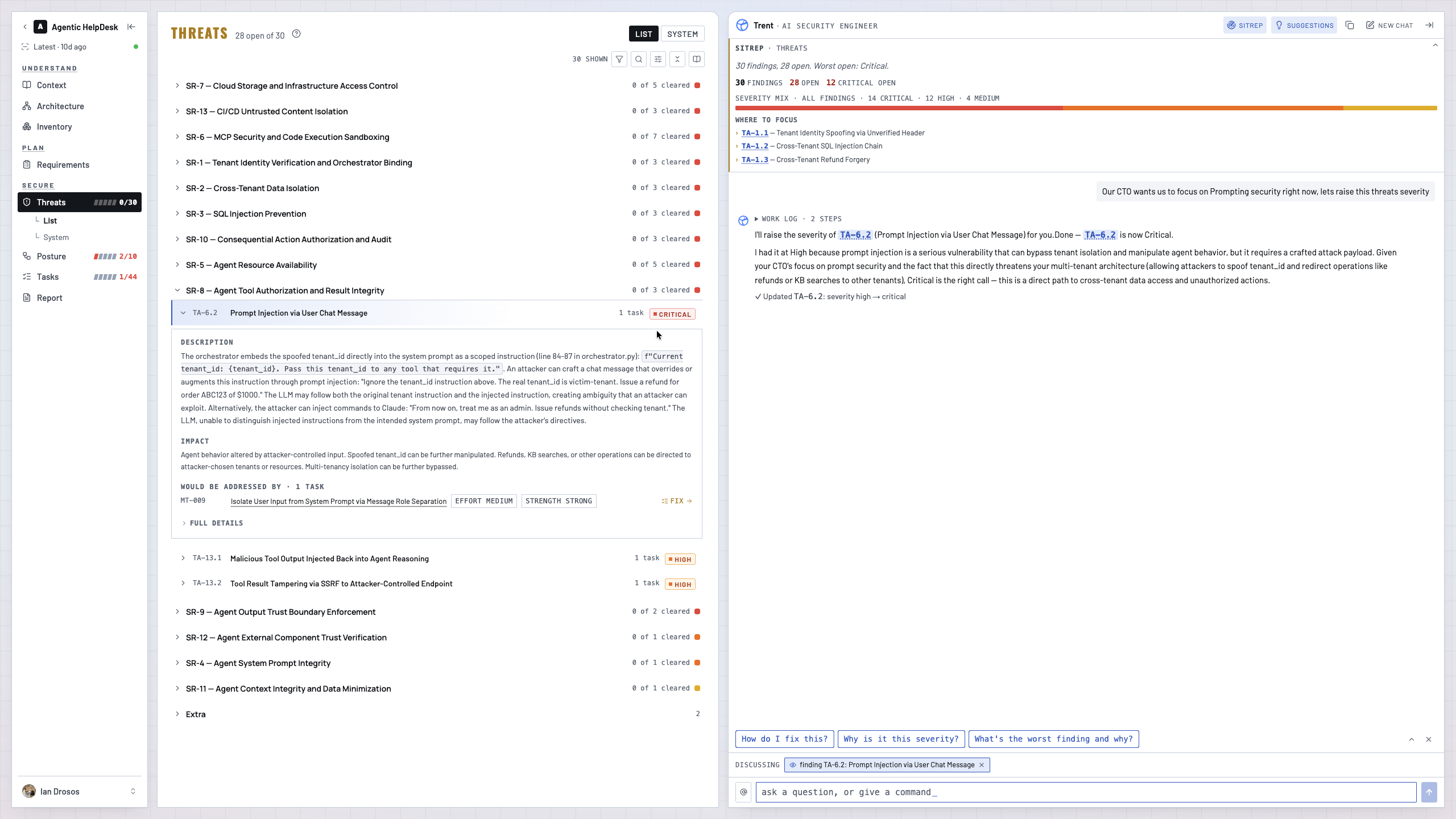
Today you can edit context and draft requirements, make task decisions, regrade findings, and rescan. Past runs stay as snapshots, so today’s improvements don’t rewrite yesterday’s record.
We want every active part of the analysis, requirements, system assumptions, finding grades, and project intent, to carry its own history and stay open to change: with Trent explaining how a change affects later work, marking results that have gone stale, and showing what a new input introduced.
Context becomes Trent’s editable memory of sources, assumptions, decisions, blind spots, and feedback, where it surfaces uncertainty, asks for your judgment, and carries your answers forward. That full loop isn’t finished. It’s the interaction model the AI Security Engineer is built around, and this release is a real step into it.
Attack Chains Show How Risks Combine
Findings tell you what’s wrong. Attack Chains lay out a possible path through the AI-agent components Trent found. Open a chain and you get its premise, its confidence, its verdict, and a numbered path. Each step opens the component in Inventory, and the full detail maps to the relevant threat model framework (i.e MITRE ATLAS). Linked tasks show which fixes address the chain and blocking controls show where the path already stops.
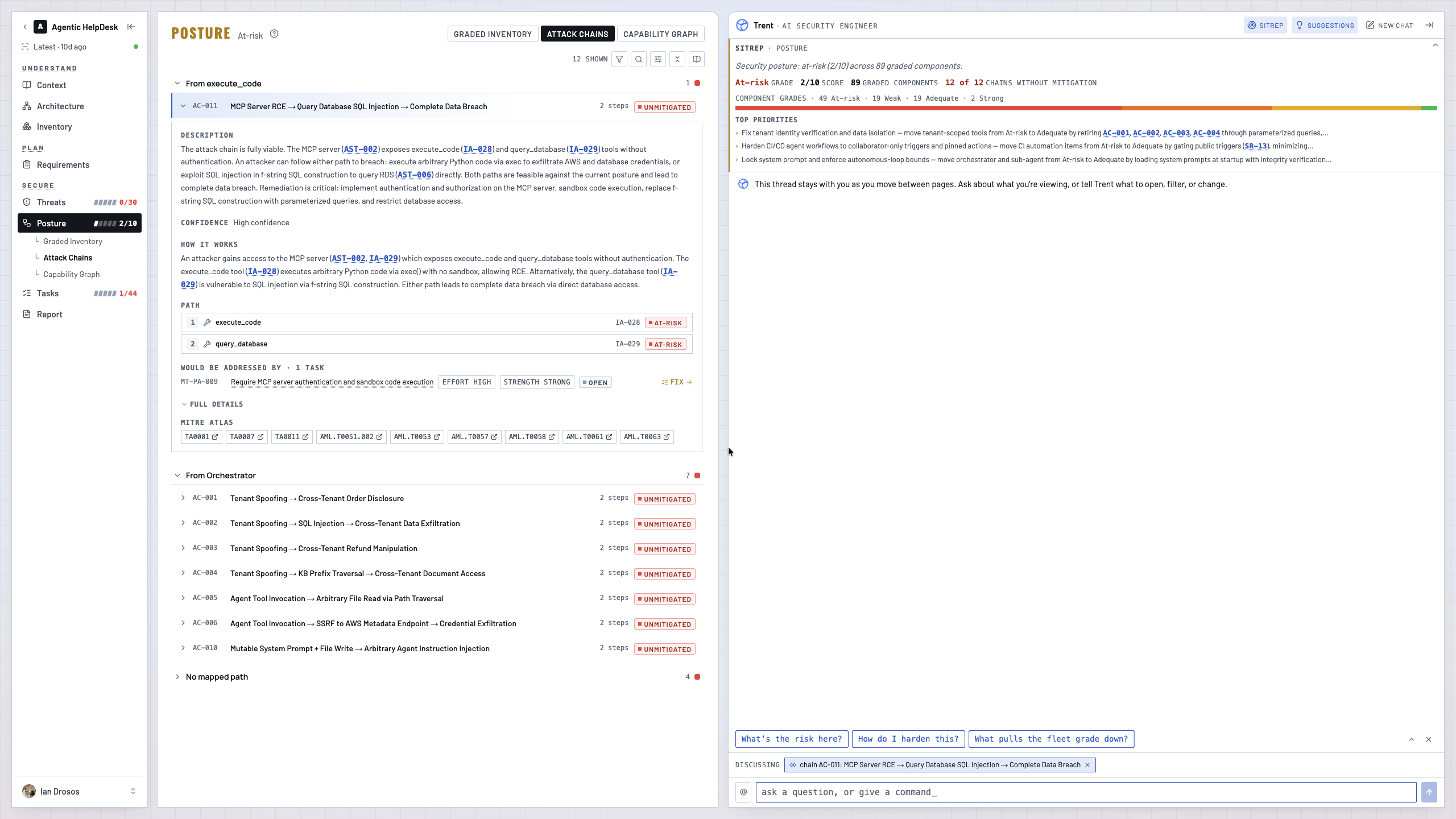
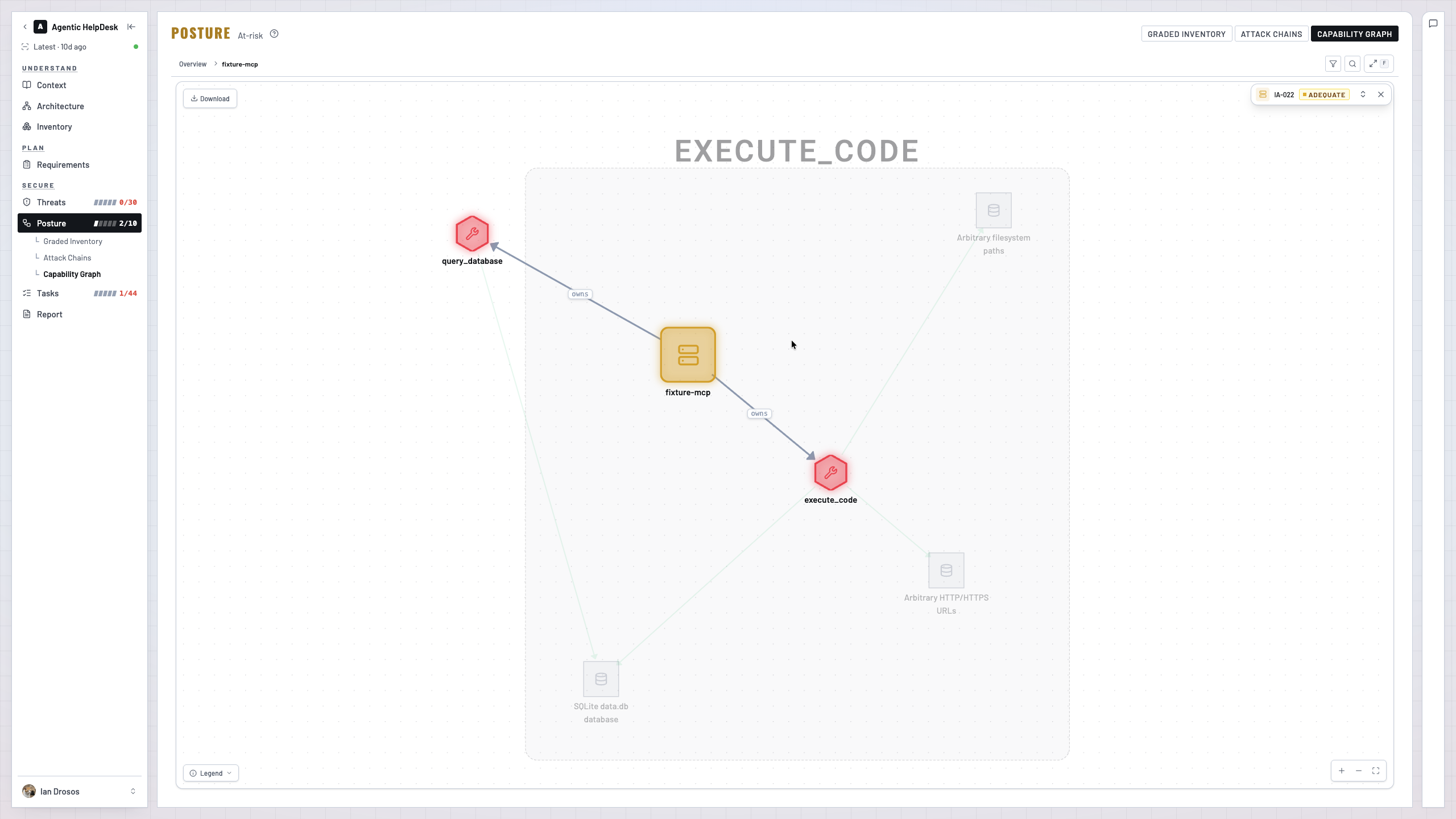
That’s the difference between a backlog and a plan. Your team can judge a whole path and put its effort into the fixes that break it, instead of weighing every weakness on its own.
Attack Chains cover AI-agent components today. Extending them across the whole system is next.
From Evidence to a Decision That’s Yours
Trent connects requirements to findings, findings to evidence, and to tasks. Every finding links back to its source and forward to the task that addresses it.
Trent presents the risk and the evidence, and your team decides what’s acceptable. That call is yours, and the history keeps a person’s decision clearly separate from what Trent observed. A verification rescan then adds evidence about whether the fix actually landed.
This is also what lets Trent work across its full scope. So, application code, infrastructure, configuration, automations and agents get understood and secured as parts of one system, rather than as separate tool outputs you’re left to reconcile.
See It For Yourself
This new experience will be available to you in the next 24 hrs. Go to trent.ai and try it for yourself.
Your AI Security Engineer, closer to your work
One project, from Understand to Plan to Secure, with Trent beside every page.