Introducing Security Connectors: One Judgment Over Your Security Tools

Your security knowledge is already written down. It’s just scattered.
Your design doc in Notion says every customer’s data stays separate. The Linear ticket says the storage bucket is public on purpose. Last year’s pentest flagged the API gateway. A comment under a ticket says “we’ll fix the auth edge case later.” Whoever owns security at your company, a team of five or the staff engineer who got stuck with it, cannot read all of that for every finding, and scanners never read any of it. They see a public bucket, call it High, and do it again tomorrow, because they have no idea you already decided. So the alerts pile up, people stop trusting them, and the one that matters gets ignored along with the rest.
Now, watch a good security engineer pick up a new system, and they do the opposite. They don’t start scanning, they start reading: the designs, the tickets, last quarter’s pentest, the product definition that says which data is actually sensitive. Only once they know what the organization already knows, do they form a view on what matters. That reading is most of the expertise, and it is the one thing a scanner never does, but Trent does it.
Starting today, we’re launching Security Connectors for the Trent AI Security Engineer. Trent starts the way an experienced security engineer does: by reading and understanding the context your organization already has. Connect your security tools, Notion and Linear, and Trent reads what your organization already knows before it judges your code, then it shows you exactly what each conclusion is based on.
What that looks like
Say you’re building an AI support agent. Your design doc in Notion says: “Every agent tool call is scoped to the signed-in customer.” Without that doc, Trent sees a tool called search_orders that takes a customer ID and rates it Medium. Lots of tools take IDs.
With the context of the design doc, the finding changes. Trent quotes your sentence word for word and links to the design doc. Then it shows that the code lets the AI model pick the customer ID instead of taking it from the login. Your own rule is broken, so one customer can get the agent to read another customer’s orders. Trent raises the finding to High and hands you a prompt to paste into Cursor or Claude Code that fixes it.
Trent works the other way too. The bucket your Linear ticket calls public by design drops off the urgent list, and the ticket is cited as the reason. If a later commit starts saving user uploads to that bucket, Trent raises it again.
Judgment instead of yet another tool
The average team now runs 76 disconnected security tools. And here is my take: nobody’s security posture was ever improved by making it 77.
This is the ongoing issue so many companies are facing. Every new tool adds a queue, a login, and a list, and the lists don’t agree with each other. Also, triaging across all these findings becomes a nightmare. The shortage was never detection of potential vulnerabilities. It is that nothing sits above the detection and decides what any of it means for your business.
Trent AI Security Engineer is not another one of these tools. It is the judgment layer that reasons over them.
Our co-founder and chief scientist Neil Lawrence makes the underlying case: what organizations need is not another source of alerts, but a system with enough context to filter, prioritize, and explain, with final authority left where it belongs, with the human security engineer. As he puts it, the limiting factor will not be computation, it will be judgment. And that’s what this launch tackles.
Judgment needs material to reason over. A one time severity score inherited from a scanner is not judgment, it is a number passed along. Judgment is knowing that this weakness sits behind your tenant-isolation perimeter, that your own design doc says the public access is intentional, and that your pentest already flagged the same component last quarter.
So this launch is not about Trent gaining a few integrations. It is Trent gaining what separates a reasoning layer from a scanner, and keeping it. Your organization’s knowledge becomes a live input rather than a one-time import: the doc you rewrote this morning, the ticket closed yesterday, the scan that ran on the last commit. Trent tracks all of it as it changes, revises its judgment when something changes, and shows you which version of which source each conclusion rests on.

Security Connectors: what your tools and teammates already found
Your scanners have been running for years, and more often than not what they find sits in a dashboard nobody opens, because a list of findings without context is not a decision anyone can make. That output is useful, just not in the form it currently takes. It needs someone to read it against the system it describes.
Nearly every security tool can export its findings as SARIF, and Trent takes SARIF from any of them. Export, upload, and those findings become a first-class input to the analysis, whichever tool produced them. Snyk JSON and Semgrep JSON work directly too, and your agents can push findings in through Trent’s MCP integration. If it emits SARIF, Trent can read it today. We have also started building native connectors, beginning with Semgrep: connect one API, choose your sources, and Trent keeps findings from the project matching your repository current without anyone exporting anything. More are coming soon.
But scanner output is the less decisive half. What determines whether a finding matters is oftentimes not in the code at all. It is in the writing your team already did about how the system is supposed to work: which access is intentional, which data is sensitive, which risk was consciously accepted. A hardcoded credential in a demo fixture and one in your tenant-isolation path look identical to a scanner, but they are quite different animals to someone who has read your design docs.
Trent also connects to Notion and Linear as well: designs, component definitions, product definitions, threat models, pentest reports, and the ticket threads where decisions actually got made. Search your Notion pages and preview them before committing, or paste a Linear issue identifier to pull that ticket in, discussion thread included.

Now every finding shows its sources
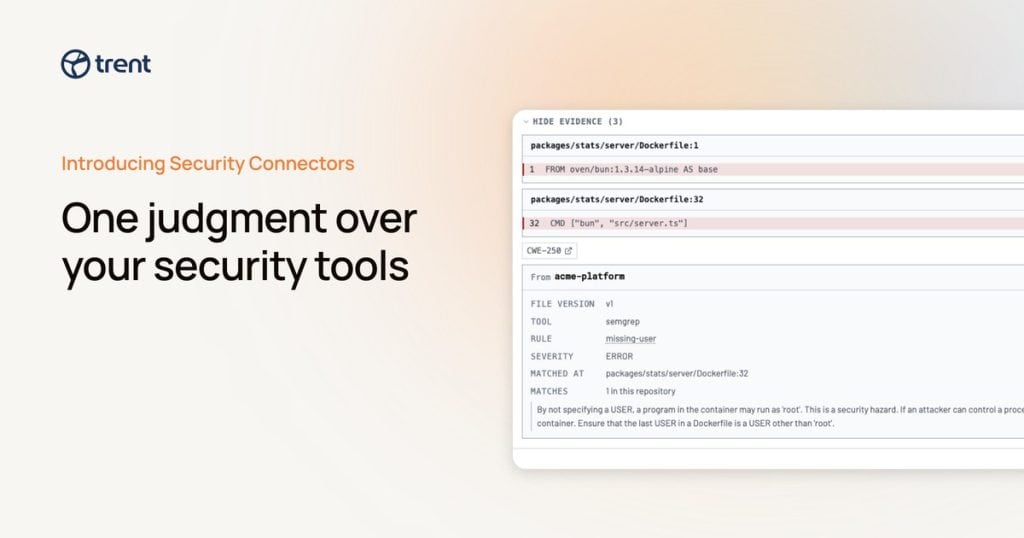
Once your organization’s context is connected, the reports change their shape. Each finding carries an Evidence section listing what Trent actually used to reach it: the code lines, the specific passage from your document quoted word for word with a link to the page, or any matching scanner result with its rule, severity, file, and line.
Each entry says what it is doing there. Grounded in means the analysis used the findings from your security tools and/or the statements from your document influenced a given Trent finding/requirement/mitigation control. This severity is supported by means it backs the High or Low rating specifically. So “why is this rated High?” now has an answer you can check, often from your own material rather than from some speculation.
Quotes are verified before they are shown, against the exact version of the source Trent pinned. A quote that doesn’t match isn’t displayed.
And nothing your scanners reported disappears in the analysis. The report’s appendix accounts for every claim they made, with one outcome each: it became a Trent finding, corroborated one, matched several, was rejected, could not be validated, or was dropped in normalization. The counts reconcile, so a missing claim is an error rather than something you have to notice.

Connected sources stay current automatically
Let’s look into a common scenario. You rewrite the auth section of your architecture doc in Notion but don’t tell your security team about it. Well, Trent picks up the change and, depending on your project’s scan settings, re-scans now or uses the fresh copy on the next run. The new report quotes the new paragraph. Last month’s report still cites the version it analyzed, exactly as it was then. So connected sources stay current, automatically.
Remove a source later and its old citations carry a removed mark rather than being quietly presented as current. Two reports citing successive versions of the same document give you a change-history audit trail.
The links also work backwards. A source’s Context page tells you what depends on it (“14 findings and 3 recommendations reference this report”), and a connection’s card shows which projects it feeds, so you can see the blast radius before disconnecting anything.
Built the way you would expect from a security product
Read-only, always. Trent reads your sources and writes nothing back. No creating tickets, no editing pages. Write access would be a separate capability with its own consent.
Your documents live in Trent’s context. Document content is stored as part of your project’s security context so findings can quote and verify against it. In organization workspaces, members see a cited source’s name and version while the content itself stays withheld, so a connection never becomes a back door to material someone isn’t entitled to read.
Credentials and customer data are encrypted per customer and never shown again, not even to the admin who entered them. Every connection shows its health and who set it up, with a path to the platform’s own settings to manage access, and one workspace can hold several accounts of the same platform, each with its own disconnect.
Availability
Security Connectors are live today for Trent customers. If your scanner exports SARIF, Trent can read it. Semgrep is our first native connector: connect it once and findings stay current without exports. More native connectors are on the way. To get started, create an account and request access or contact us.