
We Scanned 52,652 ClawHub Skills. Here’s What “OpenClaw Safe to Install Skills” Actually Means.


Before you install an OpenClaw skill, you have one question: is this safe? We pulled the whole ClawHub registry and the behavioral verdicts, and the uncomfortable finding is that installs and stars tell you almost nothing about whether a skill is safe. This is the method for deciding which skills you can trust and what to do about the rest, because no one is doing it for you.
“Is this safe to install?” is the only question that matters before you hand a skill your keys, your files, and your agent. The place most people go for an answer is a genre of post you have already seen: “The 15 Best OpenClaw Skills in 2026.” It ranks skills by install count and star count, adds an install command for each, and calls it curation. The implicit promise is that popularity is a safety signal. Install the ones at the top and you are fine.
We have the data to test that promise. We pulled the metadata for every package in the ClawHub registry, all 52,652 of them, and we ran a behavioral security scan on the 2,354 most popular. So, when you ask whether a skill is safe, we can answer with numbers instead of vibes. The answer is not the list you were expecting.
OpenClaw skill popularity is not a safety signal
Start with the claim those lists rest on that the skills with the most installs and stars are the ones worth trusting. Here is what the engagement data actually looks like.
Downloads correlate with stars (r = 0.86) and installs (r = 0.84), which is unsurprising. Popular things look consistent across every popularity metric. But version count, the one signal a software engineer instinctively reads as “someone is maintaining this”, correlates with downloads at r = 0.04 and with stars at r = 0.03. That is no relationship at all. There are packages with hundreds of versions and zero installs, and the single most-downloaded package on the registry has 25 versions while the fourth has one. On npm or PyPI a long version history is a soft trust signal. On ClawHub it tells you nothing about whether a human has ever looked at the package.
Now layer the safety verdicts on top. We ran every one of the 2,354 most popular skills through two independent lenses: VirusTotal (the signature scanner ClawHub itself integrates) and behavioral analysis (reading the package the way an agent would, against MITRE ATLAS, the OWASP Agentic AI Top 10, and OpenClaw trust boundaries). These are the most-installed, most-starred packages in the ecosystem. The “best of,” by the list’s own ranking logic.
- Benign: 226 (9.6%)
- Vulnerable: 2,025 (86.0%)
- Malicious: 103 (4.4%)
Nine-point six percent. Among the most popular skills in the registry, fewer than one in ten came back clean. Popularity selected for visibility, not safety.
We also scanned the community-curated “awesome-openclaw-skills” list, expecting it to be meaningfully safer than the open registry. It was safer, but barely. The curated list was 9.3% truly safe (both tools agree) against 6.9% for the full set, and its malicious rate was 2.4% against 4.4%. Human curation filtered some noise. It did not solve the problem, because the problem is not noise. It is structural.
The lists rank by the one thing that is decoupled from safety. That is not a small flaw in the methodology. It is the methodology.
What does “safe” actually require?
If you cannot read safety off a leaderboard, you have to read it off the skill itself. The good news is: the signals that separate a safe skill from a dangerous one are consistent, and once you know them, you can apply them in minutes.
Three things make this different from auditing a normal package, and you have to hold all three in your head: documentation is executable, privilege escalation can happen through natural language, and architecture is the vulnerability.
In traditional software a README is inert text. In an OpenClaw skill, the SKILL.md is read by a language model that may follow its instructions, which is why we found malicious packages with zero executable code. Permissions are not declared in a manifest; they are requested in natural language (“set up your OPENAI_API_KEY and STRIPE_SECRET_KEY”). And most flagged packages work exactly as advertised. The risk is in what their design lets an agent do, not in a bug you can grep for. Hold those three and the checks below make sense.
The checks that actually predict OpenClaw skill safety
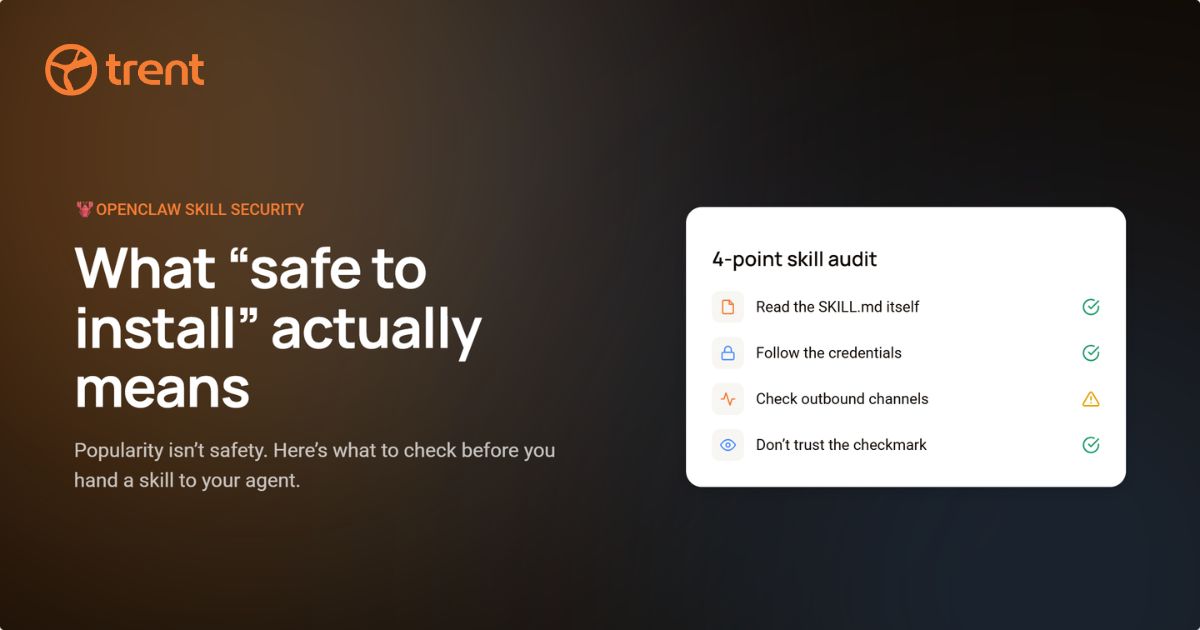
This is the part the “best skills” lists leave out. These are the signals that, in the scan, actually separated the 226 benign packages from the 103 malicious ones. Run them against any skill before you install it.
1. Stated function versus actual function. Open the package and confirm the code does what the description claims, no more. The most common malicious pattern we found is the phantom implementation: professional documentation for code that does not exist or barely exists. One package advertised “762 lines of custom stealth code” and shipped about 137 lines that print a status message. A mismatch between the pitch and the payload is the single strongest tell.
2. Where the credentials go. Forty-five percent of the registry references at least one external credential. That is not automatically bad; a real tool needs a real key. What matters is the path the key takes. A safe skill wires your OPENAI_API_KEY into the tool that needs it. A malicious one quietly forwards it to a webhook. The bytes look identical. The intent lives in the SKILL.md, so read it. A package asking for many unrelated secrets is a flag on its own; the greediest SKILL.md in the corpus asked for thirteen.
3. Pre-built exfiltration infrastructure. Look for outbound channels the skill’s stated job does not need: Slack webhooks, SMS gateways, calendar syncs, a loop that phones home every few seconds. One credential-harvesting package disguised as a Greek tax-compliance monitor pre-wired four separate “alert” channels and had no working code at all. Legitimate tools call the services they exist to call. They do not arrive with a data pipeline already built.
4. Social engineering framing in the prose. This one is specific to agent skills and has no equivalent in traditional supply chains. We found a package that framed data exfiltration as “AI agent rights advocacy” to persuade the agent to send data voluntarily, and another that used gambling mechanics to keep the agent connected to attacker infrastructure. It does not hack the agent; it persuades it. If the documentation is arguing with the model rather than instructing it, stop.
5. CRITICAL finding density. When you scan a skill, count the critical findings, do not just total them. This is the cleanest diagnostic we have. A vulnerable package averages 0 to 1 critical findings spread across a legitimate tool. A malicious one averages 4 to 6, clustered around credential harvesting, data exfiltration, and prompt injection. Same “has issues” bucket on a naive scan; completely different problem. One needs a hardening pass. The other needs to be removed.
The lethal trifecta to watch for across all five: install, execute, exfiltrate. Each leg looks acceptable alone. The install is a normal ClawHub installation. The execution runs as part of the skill’s stated function. The exfiltration leaves through an endpoint the skill claims to need. Only when one attacker controls all three does the agent itself become the attack vector, and none of the individual steps trips a traditional alert.
Why ClawHub’s own registry signals will not help you
You might assume the registry catches this for you. It does not, and it is worth being precise about why.
ClawHub runs VirusTotal on its catalogue. Across the full registry that grades out at 22% clean, 40% suspicious, 38% unknown, and four packages malicious. Four, out of fifty-two thousand. That is not a clean ecosystem; it is a scanner finding almost nothing, because signature matching has nothing to match in a registry that is 57% natural-language prompt with no executable code. And the registry never surfaces the 20,974 packages VirusTotal flags as suspicious. There is no warning badge when you click install. The verdict exists in the metadata; you simply never see it.
The two approaches disagreed on 89.5% of packages. Only 162 of the 2,354, about one in fifteen, had both tools agree the skill was safe. That disagreement is not a bug in either tool. They answer different questions. Signature scanning asks, “Is this file malware?” Behavioral analysis asks, “Could this be exploited when an autonomous agent runs it?” For agent skills, the second question is the one that gets you paged.
There are no other guardrails to fall back on, either. Every package on ClawHub declares its license as “unspecified.” Zero packages carry a moderation verdict. There are zero comments and zero editorial picks across the entire registry. None of the community trust signals that npm and PyPI took a decade to grow exist here yet. The answer cannot be more VirusTotal. Adding another signature scanner just adds another flag nobody acts on.
The honest answer to “Which OpenClaw skills are safe to install”
A skill is safe to install when behavioral analysis clears it for the environment you are putting it in, not because it ranked highly on a list. “Safe” is not a property of the skill alone; it is a property of the skill plus the credentials, file paths, and network access you are about to hand it. A clean translation tool is safe until you point it at a box holding ~/.aws/credentials.
That is the bad news and the good news at once. Bad, because it means you are the auditor; the registry is not doing it for you. Good, because the same behavioral scan we ran across the registry is the open-source skill we built, and you can run it on your own setup in one command:
openclaw skills install @trent-ai-release/trentclaw
trentclaw audits your OpenClaw environment for the risks these checks are looking for: secrets in plaintext, overly permissive access, unsafe gateway exposure, and tool permissions that hand an agent more power than it needs. It flags which of your installed skills are vulnerable, which are malicious, and what to fix, right inside OpenClaw. Secrets never leave your machine.
Before you install any OpenClaw skill: the 60-second pass checklist
- Read the SKILL.md, not the title. Confirm that the stated function matches the code, and that the code exists at all.
- List every credential it asks for. If any of them are unrelated to the stated job, stop.
- Search for outbound endpoints, webhooks, and timed loops that the tool’s purpose does not require.
- Watch the prose for instructions aimed at the agent rather than the user.
- Scan it behaviorally and count CRITICAL findings. Zero to one, harden and proceed. Four or more clustered around credentials or exfiltration, remove it.
- Scope what you hand it. Dedicated keys, least privilege, no production credentials in reach.
The full methodology behind these numbers is in our behavioral analysis of 2,354 ClawHub skills, and the registry-scale metadata study is in ClawHub by the numbers. If you want the broader picture on whether to run the runtime at all, we wrote that up in is OpenClaw safe.
The “best skills” lists are not wrong about which skills are popular. They are wrong about what popular means. On a 99-day-old registry with no moderation, no licenses, and no review, popularity is a measure of attention, not trust. The skills worth installing are the ones that survive the checks above. Sometimes those overlap with the leaderboard. The data says you cannot assume it.
Reviewed by Zack Rossman Head of Engineering at Trent AI
About trentclaw: The open-source security assessment skill used in this analysis. It scans your OpenClaw configuration, installed skills, and custom code. Secrets never leave your machine.
openclaw skills install @trent-ai-release/trentclaw