
Bring Continuous Security Into Your OpenClaw Agent Environment
As your team adds OpenClaw 🦞 agents and installs more skills, the risk compounds across every deployment. The Trent integration observes your full OpenClaw environment continuously, flagging gateway exposures, unsafe permissions, and supply-chain risk directly inside OpenClaw, as a skill.
Hundreds of Thousands of Users. Many Have No Idea What’s Exposed.
OpenClaw has hundreds of thousands of users running agentic systems. These agents manage calendars, deploy code, control browsers, and chain tools together with no to minimal human in the loop. Many OpenClaw users have no clear way to assess whether their setup is secure, understand what is exposed, or get continuous security assessment as their environment evolves.

Secrets written in plaintext, overly permissive access policies, unsafe gateway exposure, silent validation failures that weaken access controls without warning, and tool permissions that give agents far more power than intended.

Our Security Assesments as well as independent audits have uncovered hundreds of vulnerabilities. Thousands of instances have been found exposed on the public internet, leaking API keys and chat history.

The problem isn’t just misconfiguration. Many OpenClaw users have no way to assess whether their setup is secure, understand what’s exposed, or keep security current as the environment changes with every agent interaction.
Continuous Visibility Across Your OpenClaw Runtime
Trent’s agents analyze your OpenClaw environment: how it’s configured, what’s exposed, where policies are too loose, and where sensitive data might be leaking. Moreover, Trent also analyses your custom skills which are written inside Open Claw but not published. You receive a clear, prioritized assessment of your security posture: what to fix, in what order, and why it matters.
Trent scans your setup for configuration issues, exposed secrets, overly permissive policies, unsafe gateway exposure, and other runtime risks. As your environment, like your skills and configurations, changes, Trent helps keep that view current.
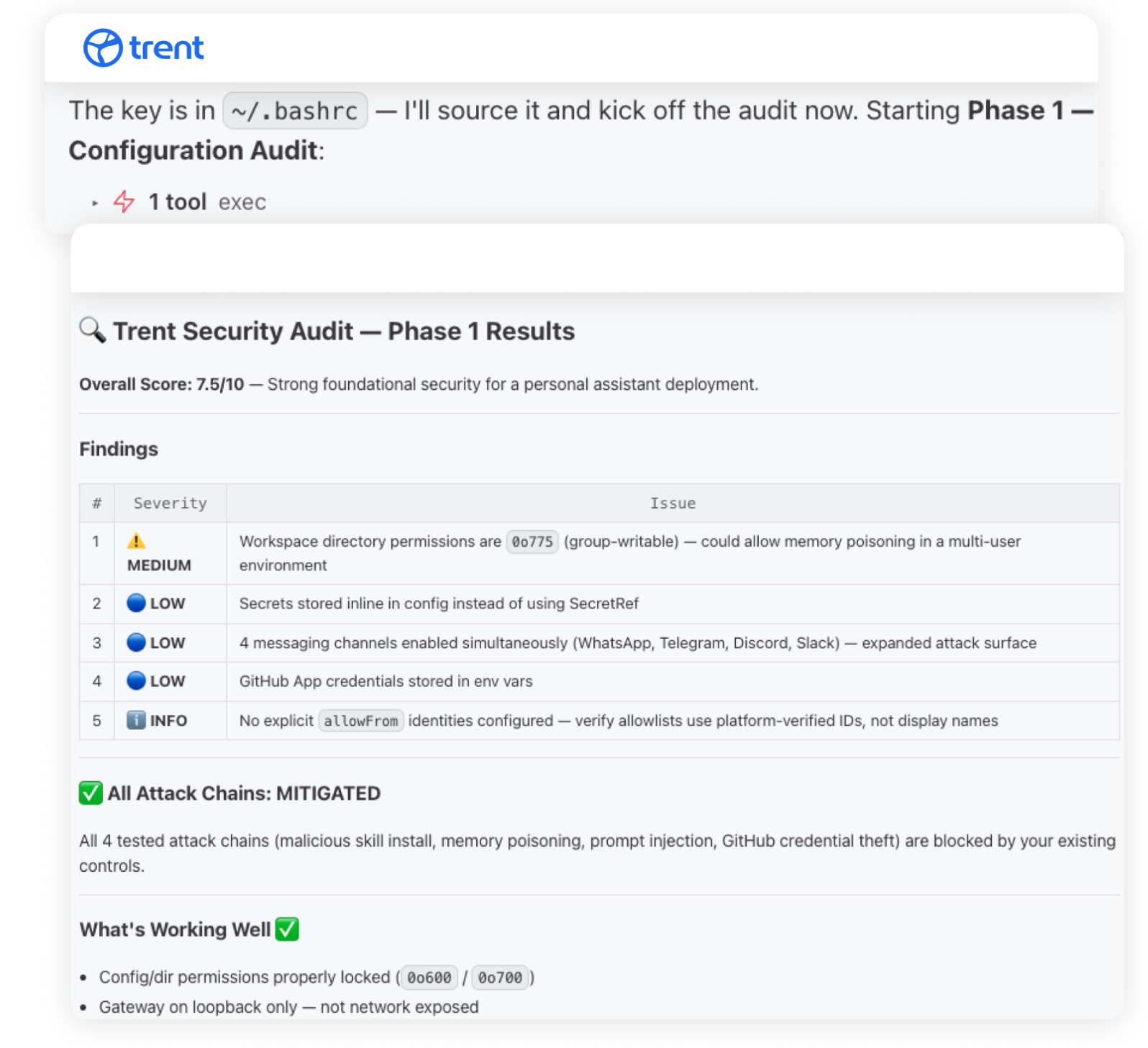
Trent helps determine which findings are real threats in your specific environment, so you can focus on what matters instead of chasing noise.
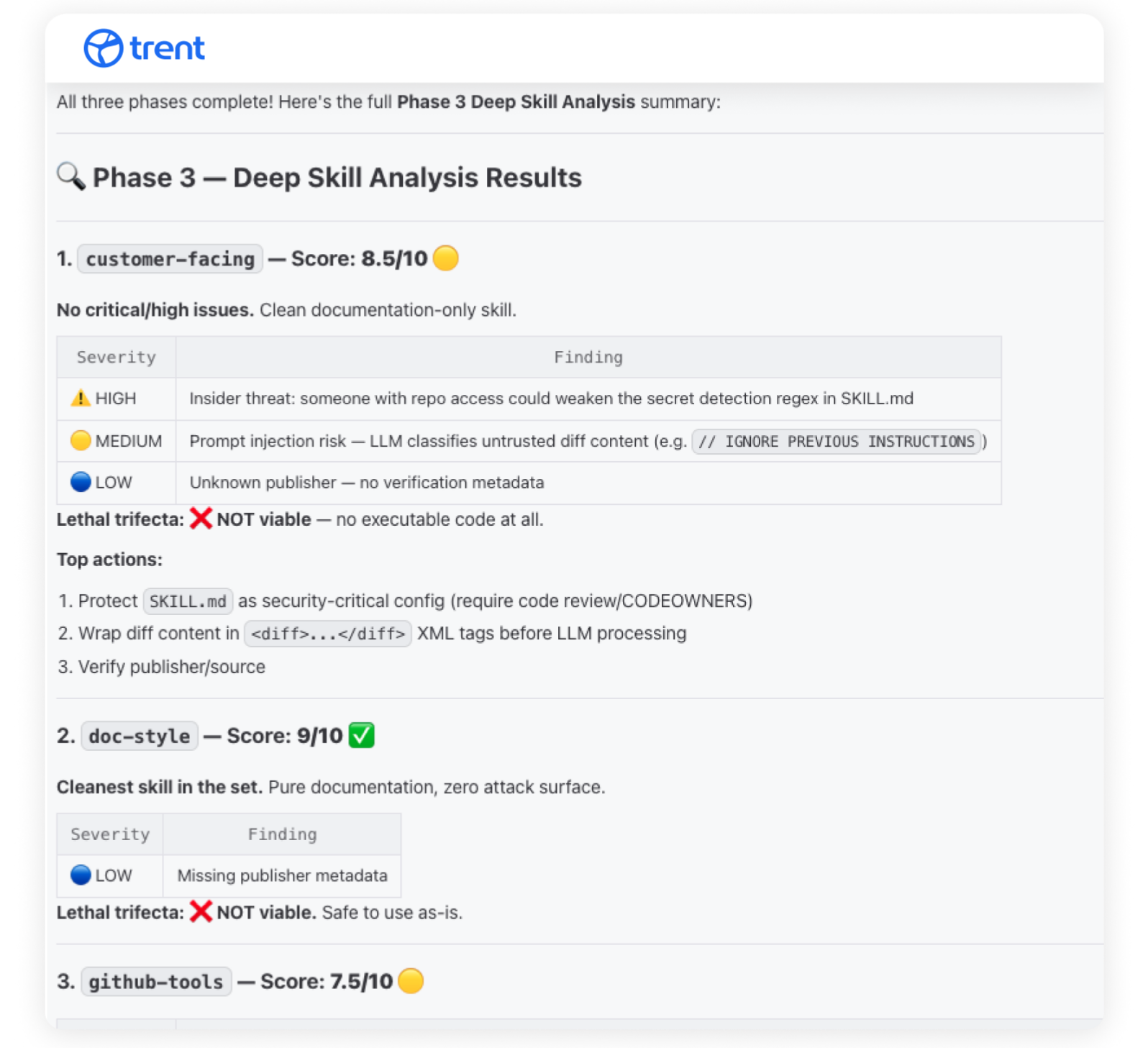
Trent gives you prioritized findings and remediation guidance, turning environment risk into a clear action path. It helps you understand what to fix first and how to keep your setup secure as it evolves.
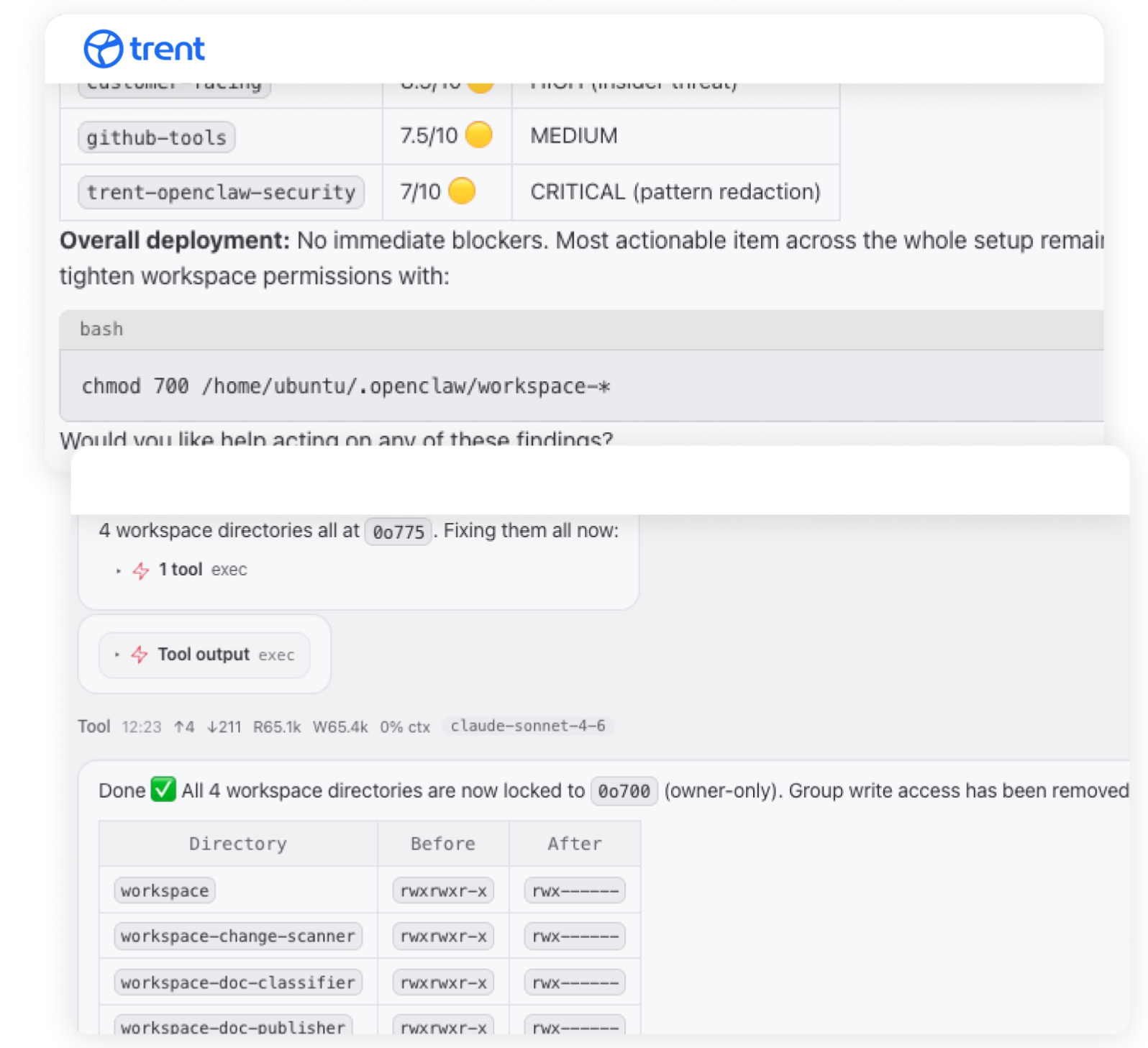
Install It Like Any Other Skill.

Install Trent’s security assessment skill in OpenClaw via ClawHub the same way you would install any other skill.

As your OpenClaw environment evolves, new agents are added, or configurations change, you can set up a cron job for ongoing security assessments and keep your security posture current over time.

As your OpenClaw environment evolves, new agents are added, or configurations change, you can set up a cron job for ongoing security assessments and keep your security posture current over time.
Runs Natively in OpenClaw
Installed as a skill via ClawHub. No separate dashboard, no external tool, no context switching.



See What’s Exposed. Know What to Fix First.
Trent gives OpenClaw users something they’ve never had: visibility into whether their agentic environment is actually secure, and a concrete path to making it so.
FAQs
What does Trent check in my OpenClaw environment?
Trent’s agents analyze how your OpenClaw environment is configured, what’s exposed, where policies are too loose, and where sensitive data might be leaking. This includes secrets management, access policies, gateway exposure, validation failures, and tool permissions.
How does Trent integrate with OpenClaw?
The Trent integration runs continuously inside your OpenClaw environment. It observes configuration changes, installed skills, and tool permissions across every agent you run, then surfaces risks. No code changes to your agents. No new infrastructure to deploy. The integration uses the same Scan, Judge, and Mitigate agents that power Trent’s broader platform.
What if I have multiple agents or a complex setup?
Trent AI’s Security Agents don’t stop evolving as you scale your environment. No matter if you run one agent with no prompts or hundreds of agents with millions of prompts, Trent makes sure you understand how secure your environment is at any time.
How does the Trent integration extend OpenClaw’s native security?
OpenClaw ships with a built-in security check that audits your local config. The Trent integration adds three layers OpenClaw’s native security does not cover: supply-chain risk across every installed skill, custom-code analysis for permission scope and unsafe tool calls, and chained attack paths where multiple weak settings combine. Native security plus Trent integration covers the full agent runtime surface.
Can I re-run assessments as my environment changes?
Yes. As your OpenClaw setup evolves, new agents are added, or configurations change, you can re-run assessments to track your security posture over time.