

Web Application Security
Know Where You Stand. From Just a URL.
You built your web app with Bolt, Replit or Base44 and it’s now in production. You need to know how secure it is. Traditional assessments require source code access, infrastructure credentials, or weeks of consultant time. Trent AI assesses your application from a URL and delivers a prioritized fix plan your team can act on today.

The gap
The Barrier to Knowing If Your App Is Secure Is Too High
Your web application is live. It’s handling user data. And you have no clear picture of what’s exposed. Maybe you built it yourself, maybe a team did, maybe it was vibe coded with Bolt, Replit or Base44. It doesn’t matter. What matters is that getting a real security read on your own application shouldn’t require digging through code, setting up scanners, or hiring a pen testing firm.
Traditional Assessments Require Too Much Access
Source code, infrastructure credentials, weeks of consultant time. For founders, PMs, and engineering leads who need to know where they stand, the barrier is too high. Most teams skip the assessment entirely and hope for the best.
Existing Scanners Check Headers. They Miss What Matters.
Most free scanners check SSL certificates and security headers. They can’t tell you whether your login flow is broken, whether your data is leaking through an unprotected route, or whether your application has misconfigurations that put user data at risk.
Point-in-Time Reports Are Outdated Before You Read Them
Your application changes with every deploy. A pen test report from last month doesn’t reflect what’s running today. Without continuous assessment, every release risks reintroducing the vulnerabilities you already paid to find.
How it works
Multiple Agents Assess Your Application From the Outside In.
Trent’s security agents analyze your web application from the outside: exposed endpoints, login flows, security headers, misconfigurations, and issues visible across your publicly accessible surface. They figure out which findings represent real risk to your application and your users, prioritizing based on impact rather than generic severity.
Scan
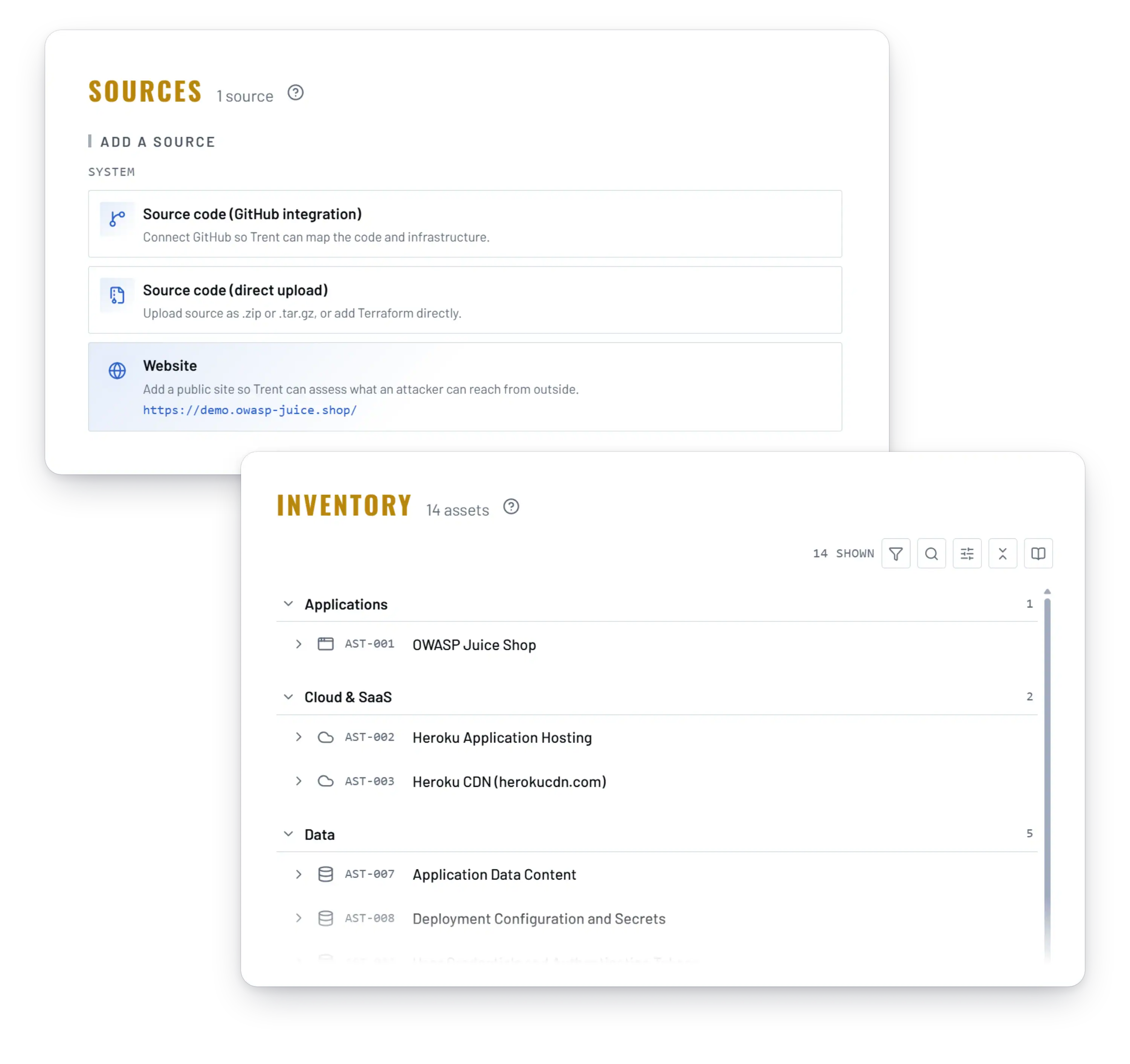
Trent’s agents map your application’s publicly visible attack surface like endpoints, authentication flows, headers, configurations, identifying what’s exposed without needing access to your code.
Judge
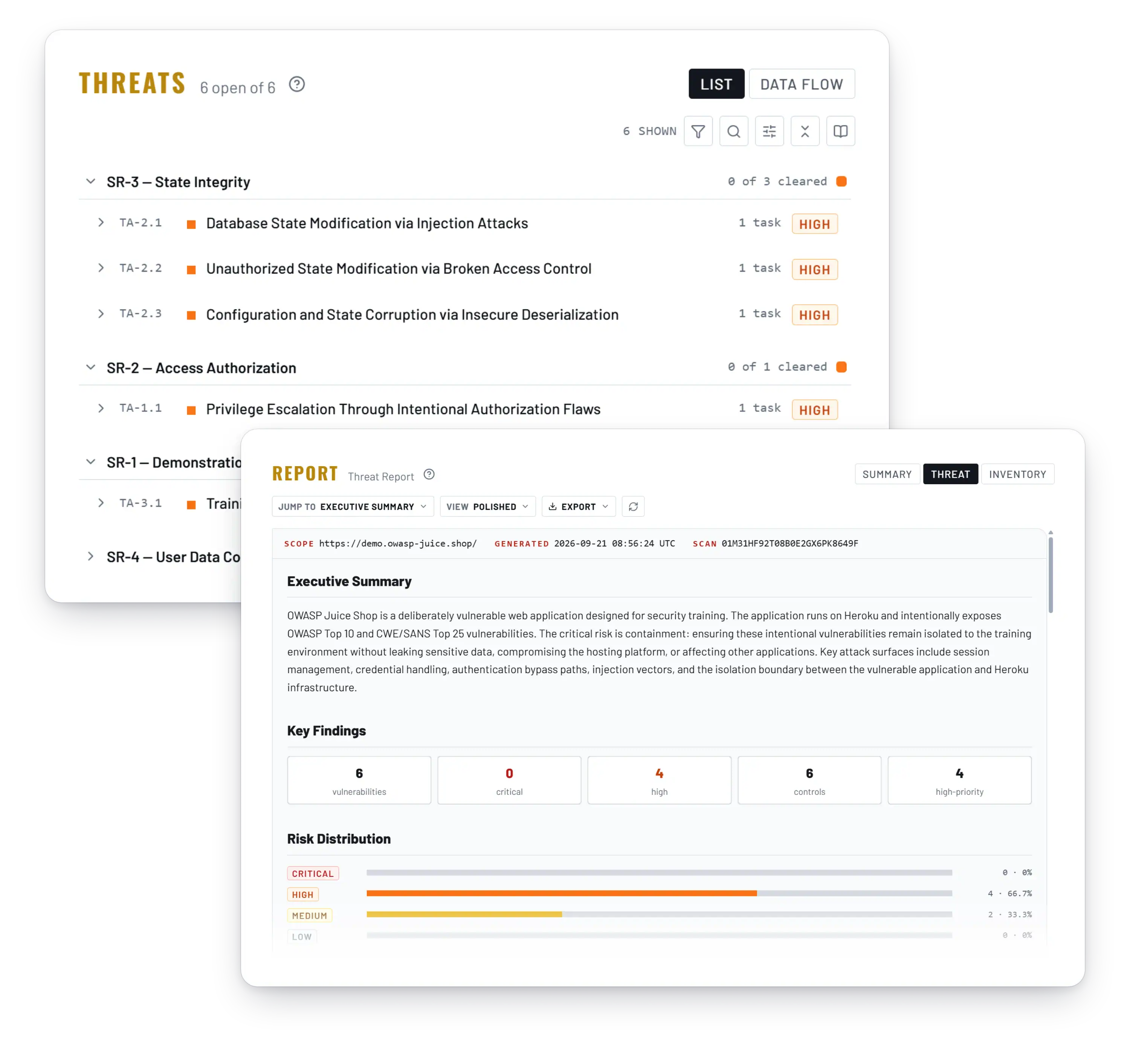
The agents figure out which findings actually matter for your application and your users. You get prioritization based on actual business impact, informed by the context you provide about your application.
Mitigate
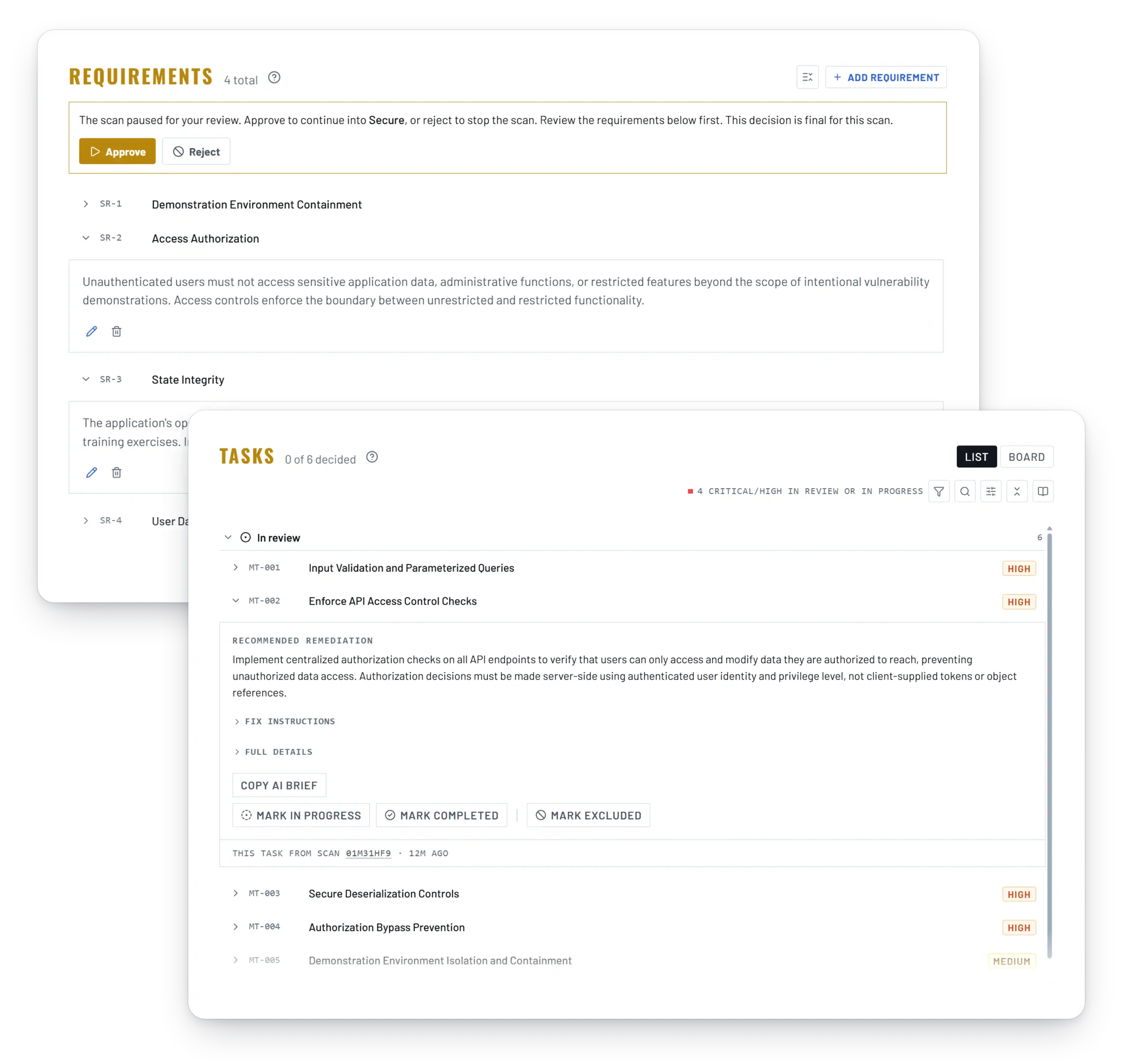
You receive a prioritized fix plan: what needs to be addressed, in what order, and how to fix it. Your team can act on the plan immediately, or connect your source code repository to unlock Trent’s automated fix capabilities.
Evaluate
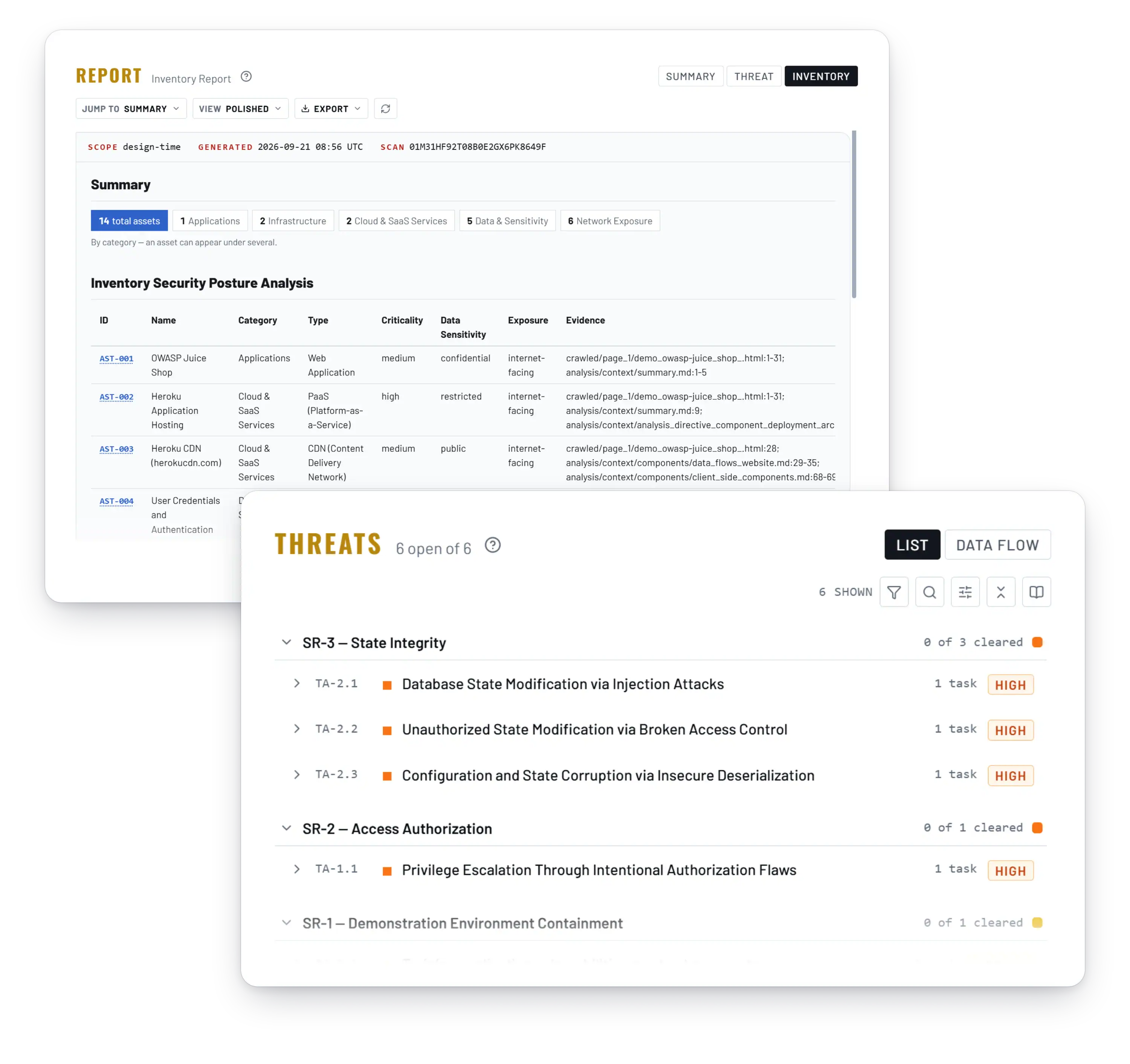
As your application changes, re-run assessments to track whether your security is improving or degrading. Trent continuously re-assesses, so your project stays secure no matter how fast you move.
Get started
Enter a URL. Get a Security Assessment.
Enter Your URL
Log into Trent and enter the URL of your web application. Provide optional context about what the application does, who uses it, and what you care about most.
Get Your Assessment
Trent’s agents scan your application from the outside, mapping what’s exposed and identifying security issues. You receive a prioritized report with findings, risk ratings, and a clear fix plan.
Go Deeper
For teams that want more, connecting your source code repository unlocks Trent’s full Scan, Judge, Mitigate, Evaluate cycle with automated fixes. The URL-based assessment is the fastest way to understand where you stand. From there, you decide how far to go.
Integrations
Works With Your AI Stack
- Claude Code
- Codex
- Cursor
- OpenClaw
- GitHub
Next step
You Shouldn’t Need a Security Team to Know If Your App Is Safe.
Enter your URL. See what’s exposed. Get a clear plan to fix it.
FAQs
What is a web application security assessment?
Web application security testing is the process of finding and ranking the vulnerabilities, misconfigurations and exposed data in a live web application, then fixing them in order of risk. Trent AI lets you assess your web application from just a URL. No code access needed, no scanners to configure.
How is this different from a vulnerability scanner like Sucuri or Qualys?
Scanners like Sucuri check for malware and blocklist status. Qualys SSL Labs grades your SSL configuration. These are surface-level checks. Trent assesses your application’s actual security posture in context: exposed endpoints, authentication flows, misconfigurations, and observable vulnerabilities prioritized by real business impact, not generic severity scores.
What’s the difference between a vulnerability scan and a security assessment?
A vulnerability scan runs automated checks against known vulnerability databases (CVEs, CWEs). A security assessment goes further. It evaluates how your application is architected, where the real risks are, and what needs to be fixed first. A DAST tool probes a running app for known flaw patterns; Trent’s URL assessment reads the whole surface and ranks by impact.
Do I need source code access for a web application security assessment?
No. Trent’s URL-based assessment analyzes your application from the outside, the way an attacker would see it. For teams that want to go deeper, connecting your source code repository unlocks Trent’s full agent cycle with automated fixes.
How often should I assess my web application?
Every time your application changes. Traditional pen tests happen once or twice a year and are outdated before the report is delivered. Trent lets you re-run assessments continuously as your application evolves, tracking whether your security posture is improving or degrading over time.
Does passing a compliance audit mean my app is secure?
Compliance (SOC 2, ISO 27001) confirms you follow certain processes. It doesn’t confirm your application is actually secure against the threats it faces. A web application security assessment identifies what’s actually exposed and what needs to be fixed regardless of your compliance status.
Is Trent a website vulnerability scanner?
No. Scanners like OWASP ZAP or Pentest-Tools check a URL against known vulnerability patterns and return a list. Trent starts from the URL too, but reads the application as a system: which endpoints matter, how the login flow works, what a misconfiguration exposes, and ranks findings by impact on your users. Use a scanner for a quick check. Use Trent when you need to know what to fix first.