Building Trent’s agent-native product surface

As AI helps attackers move faster, the time between a security finding and a verified fix, matters even more. When a scan flags a problem, someone still has to understand it, make the change, and check the result. For teams already using AI coding agents, those steps can happen in the same development workflow. You should be able to hand the AI agent a finding, and return to a fix you can review, with an explanation of what it checked.
For example, Trent, our AI Security Engineer, scans a repository and the supporting project context, then produces a threat model, and a remediation plan with proposed fixes. Then your coding agent implements the fixes, and Trent rescans the committed changes to check the result. You can work with the analysis through Trent’s dashboard or through your agent, using the Model Context Protocol (MCP), because both connect to the same backend. The connection, tools, and guidance that make this possible are what we mean by Trent’s agent-native product surface.
We updated Trent’s agent-native product surface to help customers go from security findings to verified fixes faster, using the coding agents they already work with. Building that workflow taught us a broader lesson about when to ask and when to act. Running a local server, copying keys, and answering unnecessary approvals, all add work for the customer before a fix is ready.
This post walks through what we changed, and how we’re helping agents finish the work customers delegate, while keeping people in control of decisions that need them.
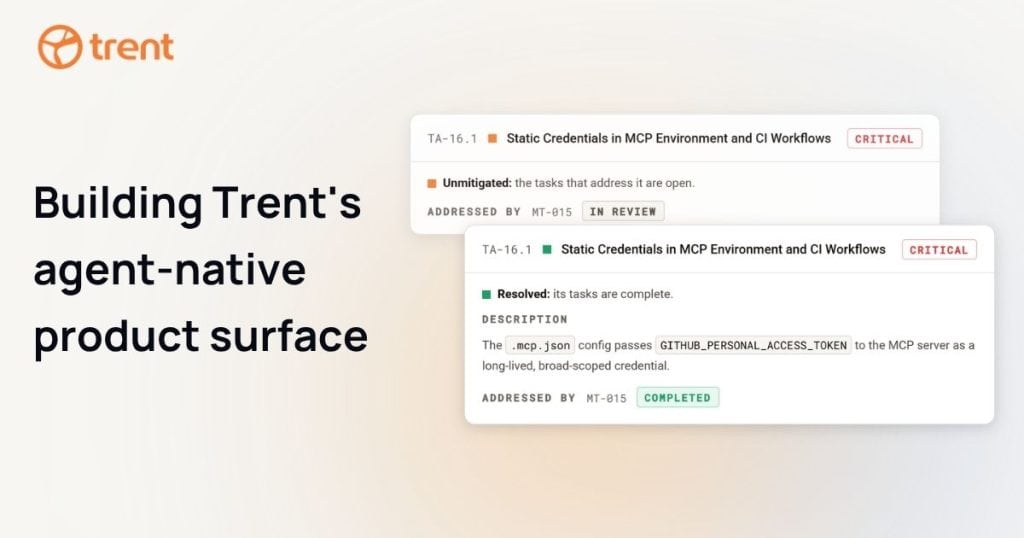
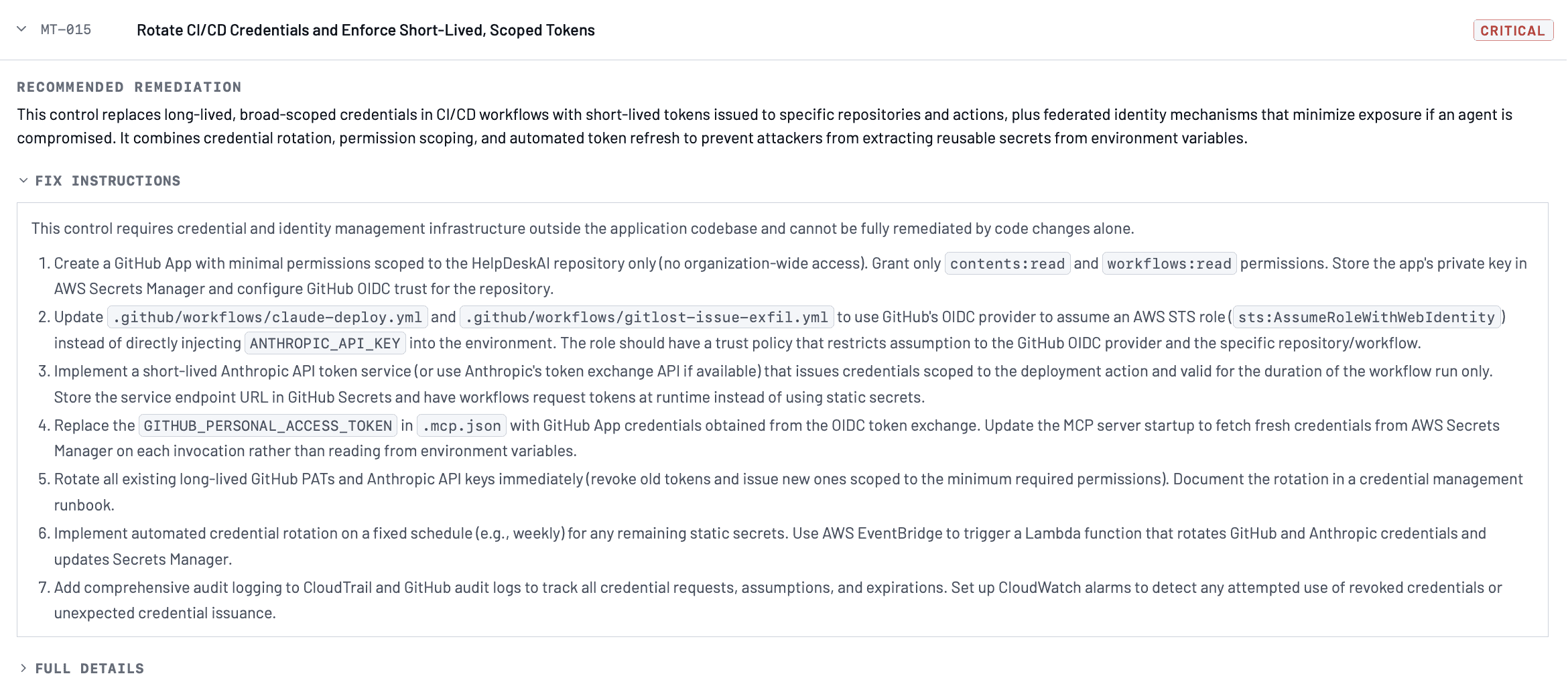
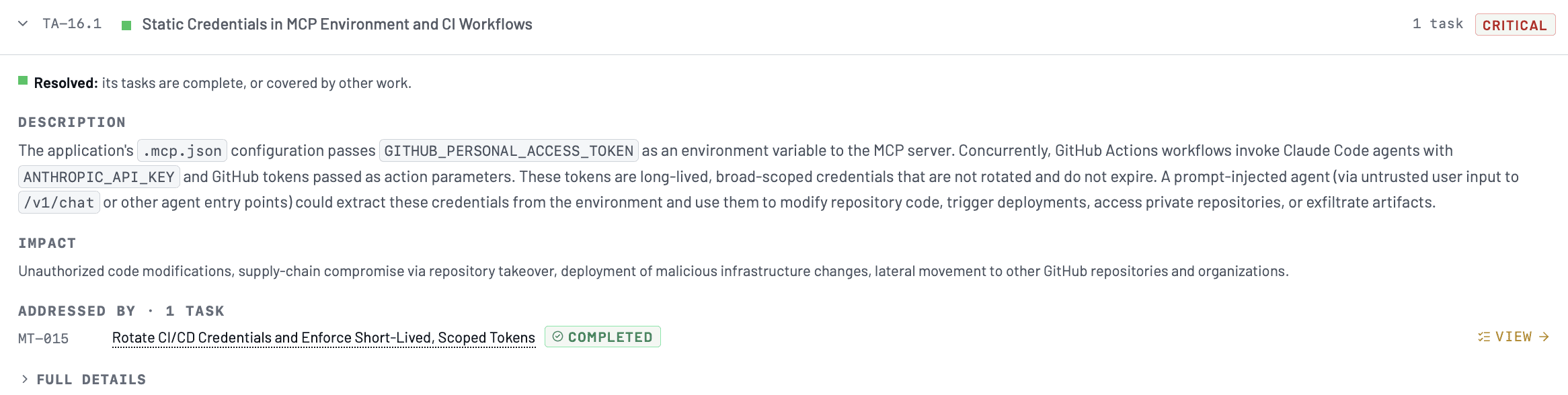
A real, redacted Trent finding alongside its proposed fix.

Connecting to Trent
Previously, connecting your agent to Trent meant installing a pip package that ran a local MCP server on your machine. You had to keep that process running and upgrade the package to get new tools and fixes. An older installation could fall behind the product. The package also copied skills, written workflows for the agent, onto your machine.
Now we provide a remote MCP server hosted by Trent, replacing the local package with a plugin that installs the connection and three skills. Customers get updated tools through this connection without running, maintaining, or upgrading a server locally. The hosted server supplies tool descriptions and instructions for choosing between them, while the skills explain the broader workflows. Changes to the server’s guidance reach the agent through that connection.
Get started: If you’re moving from the pip package, remove the old setup before installing the plugin: run
trent-mcp-uninstall, thenpip uninstall trentai-mcp. This clears copied skills that could override the plugin’s. Follow the plugin installation instructions to connect.
Authentication
The local server supported API keys and its own browser sign-in flow. With a key, you had to create it, paste it into configuration, and keep it current and secure. Browser sign-in also depended on the local server managing the session. With Trent’s remote MCP server, your MCP-compatible coding client opens a browser so you can sign in to Trent. After sign-in, the client manages OAuth credentials for subsequent calls to your Trent account. API keys remain available for headless use.
We made a deliberate choice about how clients identify themselves during OAuth. Dynamic Client Registration (DCR) creates client registrations that the authorization server must maintain. Client ID Metadata Documents (CIMD) let a client identify itself with a stable HTTPS metadata URL. The MCP specification has deprecated DCR in favor of CIMD, and Trent’s CIMD sign-in is live for Claude Code, Codex, VS Code, and Copilot.
Supporting DCR would have let more clients use browser sign-in. We decided to focus on CIMD to encourage clients to adopt the protocol’s recommended registration method and to spend our time on customer requests instead of maintaining a second, deprecated path. Clients that support only DCR cannot use this browser sign-in flow. They can use a Trent API key instead if they support a configurable bearer token.
Reviewing and Correcting Findings
You can ask your agent to fetch a report, record your feedback on a finding, or help correct Trent’s analysis. These tools let you contribute context from the same conversation where you’re working on the code. The dashboard and your agent work with the same analysis.
You can also ask Trent to assess findings from another scanner in the context of your project. Your agent includes those findings in trigger_analysis, and Trent runs a full project scan. We merged scan_with_findings into that tool so the agent can add evidence without choosing a different tool for the same task. This is an example of designing tools around the workflow, a principle we covered in our earlier post on MCP reliability.
Implementing and Verifying the Fix
Your coding agent can now use Trent’s analysis to implement the fix in your codebase, following your project’s conventions and drawing on the context in your development workflow. You can also authorize your coding agent to make changes beyond Trent’s access, such as changing permissions on an IAM role or administering a GitHub repository.
While your coding agent works on the fix, security_advisor provides quick advisory feedback on uncommitted changes. We removed scan_local_diff because it mixed those reviews into the project’s scan history. Separating advisory reviews from repository scans lets you iterate faster and keeps that history easier to follow. Once the code is committed, your agent requests a repository scan and checks the completed results to verify the fix.
The same finding shown above, after implementation and rescan, with the verified fix visible in Trent.

When to Ask & When to Act
When you ask an agent to prepare a fix for review, reading the relevant code, writing the patch, and running available checks are part of the job. Ask, “Should I make the change?” after investigating makes you repeat a decision you already made. Within the access you’ve granted, the agent should return the patch, the checks it ran, and any remaining uncertainty. We’re removing the pause for plan approval in Trent’s remediation flow so your next review can focus on the implemented fix and its checks.
The agent should ask when it needs information it can’t find, reaches a choice you haven’t made, or needs access you haven’t granted. It should explain what it needs, and how your answer affects the work.
Our earlier hook asked a model after every coding-agent turn whether to call Trent. Repeating that decision spent tokens and interrupted our developers, so we retired the hook. Today, a developer invokes a skill, or the agent automatically reaches for the security advisor tool, when the task calls for it.
In Trent, access changes and irreversible actions stay in the dashboard. Deleting projects, managing keys, creating organizations, inviting members, and installing GitHub apps can erase work or change who has authority. Those decisions stay with the human who accepts their consequences.
Apply this Principle to Your Agent
Users should be able to ask for an outcome. The agent should work out and complete the steps within the scope and permissions they’ve given it. Design its requests for input as carefully as its tools. Each request should identify a missing fact, an unresolved choice, or additional permission the agent needs.
Review a real run and stop at each request for input or approval. Ask yourself, “What do we need from the user here?” Have the agent look for answers in the available context before asking. If a step follows from the user’s request and stays within the agreed scope and permissions, it should proceed. Have it pause when only the user can supply the answer or grant the access, and explain what depends on it. Keep the user informed as the work progresses, and bring them back when there’s a result to review or a decision that needs them.
Building an Agent-Native Product
This means designing the whole path from setup, to a result the customer can review. For Trent, that means hosting the connection, simplifying sign-in and tool choices, and separating quick feedback from repository scans, with more deliberate review triggers and fewer approval pauses still ahead. Whether you’re building or using an agent-native product, call out the friction you encounter and ask whether the product could handle that work, while preserving the decisions that need your judgment.
One security engineer, a hundred coding agents
If one of these is you, Trent is the extra security engineer on every repo.
Request accessImplementation note: Trent’s hosted MCP server runs in US and EU regions. The plugin follows the open Agent Plugins format, and its source is public. Trent is listed in the MCP Registry. The earlier pip package is deprecated.