What Is Shadow AI? How to Find and Govern the AI Your Company Already Uses

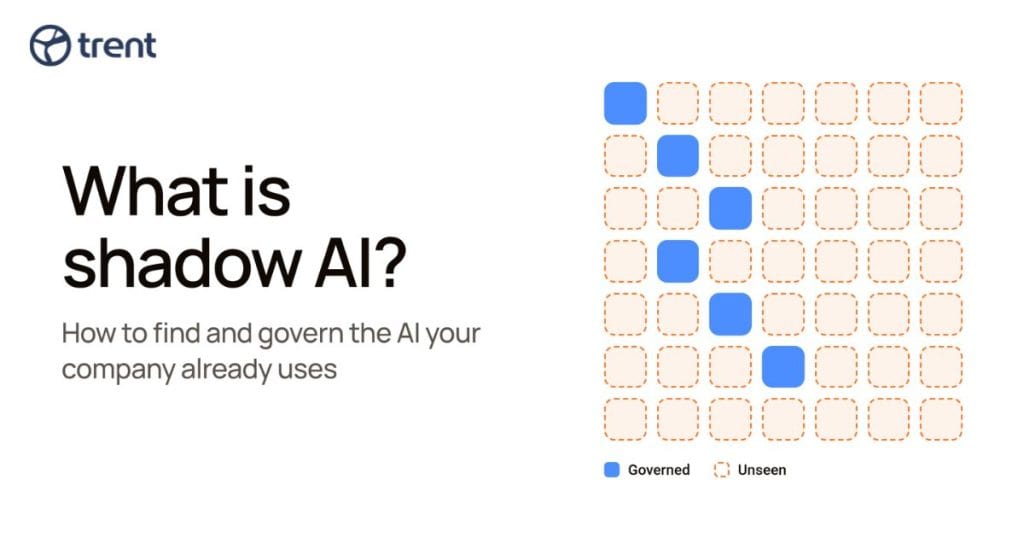
Shadow AI is the use of AI tools, models, or features inside a company without the approval or visibility of IT and security teams. Today that covers more than chatbots: like coding assistants, LLM SDKs added to a repo, MCP servers wired into an IDE, and agents that act with an employee’s credentials.
In IBM’s Cost of a Data Breach Report 2025, one in five of the 600 breached organizations studied, reported a breach due to shadow AI, and only 37% had policies to manage AI or detect shadow AI. Governing is difficult and means giving every AI system an inventory entry, an owner, a data class, an approval path, and an expiry date.
What is Shadow AI?
Shadow AI is any AI system running in your organization that security never approved and cannot see.
Our glossary definition of shadow AI names the pattern it repeats from every shadow IT wave: “adoption first, inventory later, incident in between.”
It comes in three shapes:
- People using AI apps. Chat assistants, extensions, and desktop apps, often on personal accounts.
- AI inside the software. Model SDKs, API keys, vector stores, and AI-written code that land in your repositories.
- Agents that act. Shadow agents and shadow MCP servers that can read files, call tools, and send data out.
Why Shadow AI Happens
Shadow AI usually starts where the approved tool falls short. It lacks the model, integration, or data allowance a team needs; so people reach for one that has it. An engineer who can finish a task in an afternoon won’t wait weeks for a vendor review.
Giving staff an approved tool does not end it. In a May 2026 Gartner survey of 12,004 employees and managers in 40 countries, 88% of employees who already had enterprise AI also used personal AI tools for work tasks. Banning tools tend to push use onto personal laptops and personal accounts, where no login log exists.
Shadow AI Risks, Ranked
Three risks to inventory first: data leaving the company, agents acting with employee credentials, and unvetted skills and plugins.
- Data leaving the company. Cyberhaven’s 2025 AI Adoption and Risk Report (April 2025, vendor telemetry across 7 million workers) found that 34.8% of corporate data put into AI tools was sensitive, up from 10.7% two years earlier, with source code 18.7% of it.
- Agents acting with employee credentials. An agent running on a developer’s tokens can push code or delete resources. OWASP calls this Excessive Agency (LLM06): too much permission, functionality, or autonomy. A read-only chatbot can leak data. An agent that can write files or run commands can change systems.
- Unvetted skills and plugins. A skill is instructions, sometimes with scripts, that an agent follows with the user’s access. ClawHub, the public registry for OpenClaw agents, integrates VirusTotal, including its Code Insight review of SKILL.md and scripts, and shows a security-audit status on each skill page. That scanning looks for malware and manipulation; behavioral analysis asks what a skill can do with your credentials. In our spring 2026 scan of the 2,354 most-installed skills, 9.6% came back clean, 103 (4.4%) were malicious, and the two approaches disagreed on 89.5%.
AI features switched on inside software you already pay for belong on the list too, since a vendor update or admin toggle adds them with no purchase to trigger review. The exposure is compliance: regulated data reaching a new processor, customer contracts that limit where data may go, and prompt retention terms the company never accepted.
Gartner predicted in November 2025 that by 2030 more than 40% of enterprises will have security or compliance incidents linked to unauthorized shadow AI. If you have no inventory yet, start there.
How to Detect Shadow AI
You detect shadow AI on the employee side by combining five sources, because each one has a blind spot.
- Expense and procurement records show paid tools and owners. They miss free tiers, trials, and personal cards.
- SSO and OAuth consent logs list which AI apps users connected, with what scopes. Personal accounts that never touch your identity provider stay invisible.
- Network egress and DNS reveal which model endpoints managed devices reach, but not unmanaged devices, off-network sessions or local models.
- Browser extension and endpoint inventory covers desktop AI apps and extensions on enrolled machines only.
- Asking people surfaces tools that never hit a log. People under-report, so ask what the approved tools fail at instead of who broke the rules.
These employee-side sources rarely reveal an LLM SDK in a private repository, an MCP config on a laptop, or a key in CI. For that, look at the code.
Shadow AI in Your Codebase
Shadow AI in your codebase is any model SDK, agent framework, MCP server, API key or AI-written commit that entered your software without a security review. You find it in manifests, config files and git history, not network logs.
GitHub’s Octoverse report (October 2025) counted more than 1.1 million public repositories importing an LLM SDK. GitGuardian’s State of Secrets Sprawl 2026 (March 2026) found 1,275,105 AI-service secrets leaked on public GitHub in 2025, up 81%, and 24,008 secrets in MCP config files, 2,117 of them valid. It also measured a 3.2% secret-leak rate in Claude Code-assisted commits against a 1.5% baseline, though developers still decide what gets pushed.
Here is a checklist to run this week:
- Manifests. Open
requirements*.txt,Pipfile,pyproject.toml,poetry.lock,uv.lock,package.jsonwithpackage-lock.json,pnpm-lock.yamloryarn.lock,go.mod,pom.xml,build.gradleandbuild.gradle.kts. - Model SDKs.
openai,anthropicor@anthropic-ai/sdk, andgoogle-genaior@google/genai. Go:github.com/openai/openai-go,github.com/anthropics/anthropic-sdk-go. Java:com.openai:openai-java,com.anthropic:anthropic-java. - Agent frameworks.
langchain,@langchain/core,crewai,autogen-agentchat,pydantic-ai,llama-index, and Vercel’saipackage. - Vector stores.
qdrant-client,weaviate-client,pinecone(older:pinecone-client) or npm@pinecone-database/pinecone. pgvector is a Postgres extension, so search migrations forCREATE EXTENSION vector. - MCP configs. Claude Code:
.mcp.json(project) and~/.claude.json(user). Cursor:.cursor/mcp.jsonand~/.cursor/mcp.json. VS Code:.vscode/mcp.jsonand a user-profilemcp.json, with servers under aserverskey, notmcpServers. - Key names.
OPENAI_API_KEY,ANTHROPIC_API_KEY,GEMINI_API_KEY,GOOGLE_API_KEY,MISTRAL_API_KEY,GROQ_API_KEY, and literals starting withsk-,sk-ant-,AIzaorgsk_, in env files, CI config and source. - AI-authored commits.
Co-authored-by:trailers naming Copilot, Claude, Cursor or Codex, plus pull requests opened by bot accounts. Absence of a trailer proves nothing.
Four commands to start:
grep -rnE '"(mcpServers|servers)"' --include='*.json' --exclude-dir=node_modules .
ls ~/.claude.json ~/.cursor/mcp.json 2>/dev/null
grep -rlE '(OPENAI|ANTHROPIC|GEMINI|GOOGLE|MISTRAL|GROQ)_API_KEY|bsk-(ant-)?[A-Za-z0-9_-]{20,}|AIza[0-9A-Za-z_-]{30,}|gsk_[A-Za-z0-9]{20,}' --exclude-dir={node_modules,.git} .
git log --all -i -E --grep='co-authored-by: .*(copilot|claude|cursor|codex)'
The key search prints file names only (-l), so secrets stay out of your terminal. The flags assume GNU grep (Linux, Git Bash); ripgrep (rg) is the alternative on macOS.
A dependency shows possibility, not behavior. An openai import says a service can call a model, not what it can read, write, run, or send out. And as Orca notes, an AI SDK can arrive as a transitive dependency the team never picked, so a review of direct dependencies stays quiet.
The question that matters is capability. Trent, your AI Security Engineer, reads the source and configuration of a repo or a whole application, reconstructs the architecture, and inventories every agent, tool, skill and MCP server in that code, tagging each by what it can do: Read, Write, Execute, Egress (how that works for agentic workloads). It reads code, not runtime traffic; so pair it with your identity and endpoint data for the employee side.
See what the AI in your codebase can reach
Shadow IT vs. Shadow AI
Shadow AI is shadow IT with agency: unapproved technology that can also act.
| Shadow IT | Shadow AI | |
|---|---|---|
| Asset | Unapproved apps and infrastructure | Models, prompts, agents, tools |
| Visibility | Unknown to IT | Unknown to IT and security |
| Data path | Stored in unsanctioned systems | Prompted or uploaded to AI systems |
| Agency | Operated by a person | May call tools and act |
| Controls | Procurement and access controls | Data, model, tool and identity controls |
A forgotten file-sharing app holds data. A forgotten agent can use it.
Shadow AI Examples
Shadow AI examples include code pasted into public chatbots, compromised AI tools on developer machines, unvetted agent skills, and agents with too much access.
- Samsung, April 2023. Engineers pasted semiconductor source code and confidential meeting notes into ChatGPT. Samsung temporarily banned generative AI on company devices. This remains the textbook shadow AI case.
- ClawHub skills. Our spring 2026 scan found 103 malicious skills among the 2,354 most installed. Installing one hands it your access.
- Replit, July 2025. A coding agent deleted the records in a Replit database during a code freeze. It was a sanctioned tool, listed to show what an over-permissioned agent does.
The next two are compromised AI tools, not shadow AI, showing what happens when AI tooling sits unmanaged on developer machines.
- Amazon Q Developer extension, July 2025. An inappropriately scoped GitHub token in AWS’s build system let an attacker commit a prompt telling the VS Code assistant to delete local files and AWS resources. A syntax error stopped it. AWS pulled version 1.84.0 and the issue became CVE-2025-8217.
- Nx npm packages, 26 August 2025. Malicious versions ran a script that drove local Claude, Gemini and Amazon Q CLIs with permission-skipping flags to hunt for tokens and keys, then published them to public GitHub repos.
A 30-day Shadow AI Governance Plan
A 30-day shadow AI governance plan moves you from “we think people use AI” to an owned inventory, a written policy, and reduced agent permissions. Treat it as a start. Each week maps to a framework, with ISO/IEC 42001 as the management system home.
- Week 1: Discover and assign owners. Inventory AI dependencies, agents, MCP servers, identities and data access, and give each an owner. This maps to NIST AI RMF Govern 1.6 (inventory) and Govern 2.1 (roles).
- Week 2: Set policy and approval gates. Publish approved tools, data classes and a vendor review path (NIST Govern 1.2: trustworthy AI built into policy).
- Week 3: Cut capability. Replace shared keys with scoped identities, allowlist MCP servers, require human approval for write, execute and egress actions, and add dependency and secret scans to CI. See OWASP LLM06 Excessive Agency and the OWASP AI Agent Security Cheat Sheet.
- Week 4: Operate. Set a quarterly inventory review under NIST Govern 1.5 and expire exceptions on schedule. Record three numbers each quarter: AI components found versus approved, open exceptions past their expiry date, and agents holding write or execute access.
- At day 30, score where you landed with the AI Security Maturity Model.
AI Usage Policy Template
An AI usage policy tells employees which AI tools they may use, with what data, and how to request exceptions. Copy these bullets as the core of your AI acceptable use policy.
- Use only AI tools approved by Security and Procurement.
- Do not enter restricted, regulated, customer, credential, or confidential data into public AI tools.
- Treat internal data as confidential unless its owner approves external processing.
- Use approved enterprise accounts, not personal accounts, for company work.
- Register every production model, agent, MCP server, plugin, and skill.
- Assign an owner, purpose, data classification, and expiry date to each agent.
- Grant agents least-privilege identities and narrowly scoped tools.
- Require human approval before external messages, code merges, payments, deletions, or production changes.
- Store API keys in approved secret management systems, never in source code or tickets.
- Do not reuse personal API keys in company applications.
- Review, test, license-check and security-scan all AI-generated code before merging.
- Record material AI assistance in the pull request.
- Do not install skills, plugins, or MCP servers without source and permission review.
- Report suspected leakage, unsafe output or unauthorized AI use to Security.
- Request exceptions with a business owner, data-flow description, safeguards, expiry date, and Security approval.
The data-handling bullets follow UK and Canadian government guidance; the agent, MCP, and skill bullets extend it.
Reviewed by Zack Rossman Head of Engineering at Trent AI
FAQs
Is ChatGPT shadow AI?
ChatGPT is shadow AI when employees use it for work without IT and security approval, especially on personal accounts. The same tool on an approved enterprise plan with company logins is sanctioned AI.
Why is shadow AI a problem?
Shadow AI sends company data to services security never reviewed, and agents can act with an employee’s credentials. In IBM’s 2025 breach study, one in five breached organizations reported a breach due to shadow AI.
How do you detect shadow AI?
Combine expense records, SSO and OAuth logs, network egress data, endpoint inventory, and conversations with teams. Then check your code: manifests, MCP config files, API key names, and co-author trailers.
How do you prevent shadow AI without banning AI?
Approve good tools quickly, publish a clear AI usage policy, and offer an exception path with an expiry date. Give agents scoped identities, allowlist MCP servers, and require human approval for risky actions.
What is the difference between shadow IT and shadow AI?
Shadow IT is unapproved software or infrastructure that a person operates. Shadow AI is unapproved AI tools, models, and agents, which are harder to trace and may call tools and act on their own.